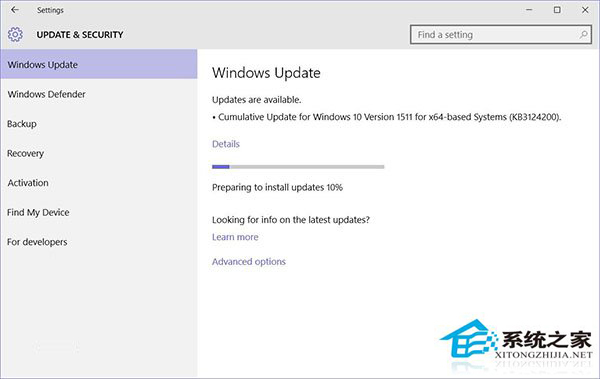
KB3124200 反覆安裝失敗,每次關機仍提示安裝,清理更新快取通常能解決。
services.msc
C:\Windows\SoftwareDistribution\DataStore
此補丁會升級版本號,必須安裝;若報錯 8024401a 請參考專文手動下載安裝。
Win10 右鍵選單太大太寬?修改登錄表切換經典緊湊樣式
Windows 10 輸入法切換快捷鍵完整解析:Ctrl+Shift vs Win+Space
Win10 如何禁止驅動程式自動更新?官方工具精準封鎖問題更新
Win10 查看網路資料使用量:設定→網路和網際網路→資料使用量,總覽與單一應用程式流量雙重掌握
Win10 檔案總管導覽列隱藏 USB 裝置:登錄表重命名 DelegateFolders 項目前綴「-」隱藏 U 盤圖示
Win10 小喇叭右鍵選單沒有「開啟音量混合器」?啟用播放裝置「揚聲器」或聲卡裝置即可恢復
Win10 設定圖片密碼 (Picture Password) 登入:比 PIN 更直觀、觸控筆電首選
Win10 快速切換虛擬桌面:Win+Tab 秒換桌面隔離工作與娛樂