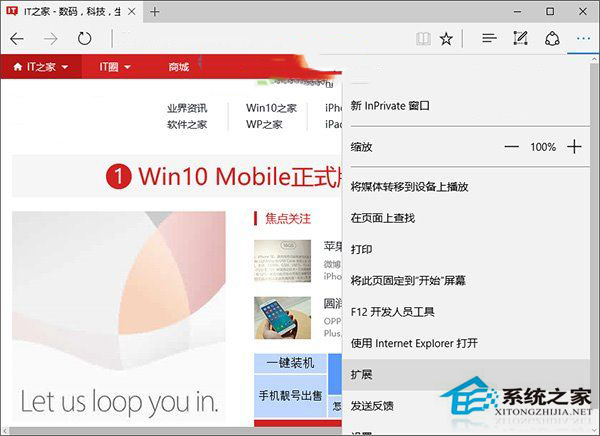
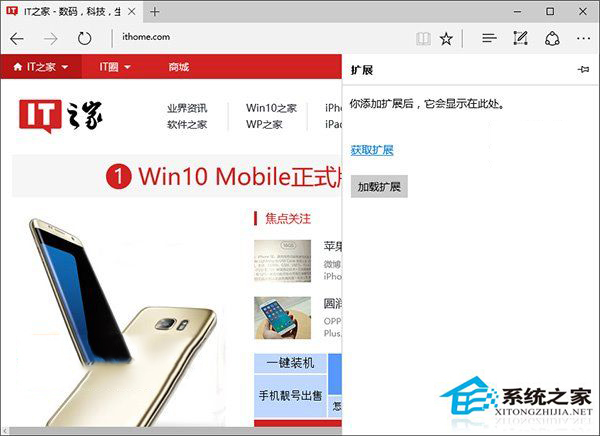
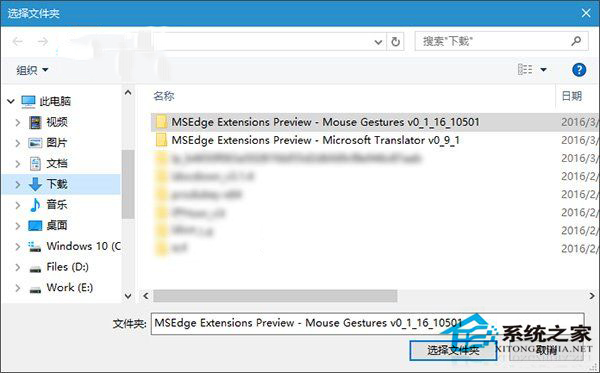
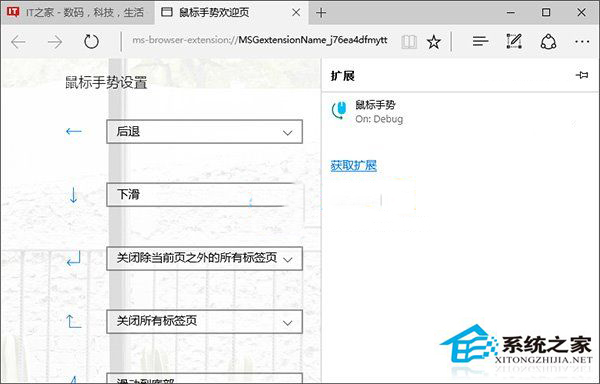
早期 Win10 正式版 Edge 不支援擴充功能,後於 Insider Preview 版開放測試(如微軟翻譯、滑鼠手勢)。安裝方式為下載 .exe 擴充包 → 解壓 → Edge 設定中「載入擴充功能」選擇資料夾。
現今 Edge 已全面支援 Chromium 架構擴充功能,可直接從 Edge 增益集商店安裝,無需手動載入。
Win 10 退出家庭群組釋放資源:控制面板三步操作
Win10 不回桌面直接啟動桌面程式:任務列工具列「桌面」功能
Windows 10 「郵件」應用新增帳戶:支援 Outlook/Gmail/iCloud/Exchange 完整指南
Win10 網卡驅動失效無法上網?完整排除與修復指南
Win10 麥克風增強功能開啟/關閉設定教學
Win 10 將「資源回收筒」釘選到工作列:繞道「開始選單」兩步完成
Win10/Win7/Win8.1 更新錯誤 8024000B 通用修復:重命名 Spupdsvc.exe 強制更新元件重建
虛擬機安裝 Win10 9901:VMware 必須選擇 EFI 韌體類型才能安裝 UEFI 鎖定版