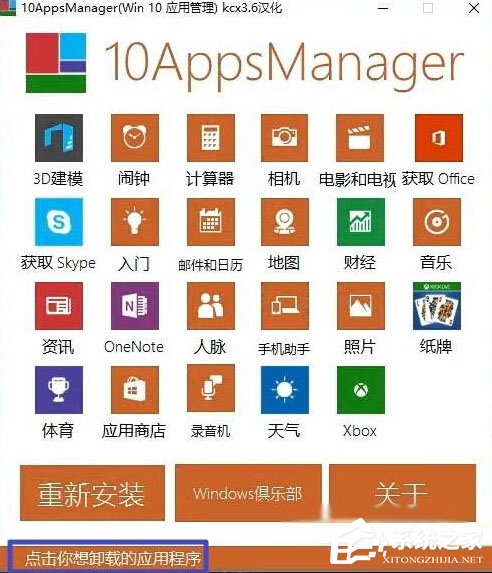
Windows 10 內建「電影與電視」播放器取代舊版 Windows Media Player,若不想使用可透過第三方工具 AppsManager 快速移除 (屬於預裝 UWP 應用,無法在設定中直接解除安裝)。
移除後若需觀看影片,建議安裝 PotPlayer、VLC 等第三方播放器。
Win10 新增與移除輸入法步驟
Win10 飛行模式關不掉?乾淨啟動排查第三方服務衝突
Win10 限制使用者關機操作:群組原則與註冊表雙法防止誤關機、保護重要任務
新購 Win10 筆電 D 槽有「愛奇藝」資料夾?聯想預裝應用自動建立,可自行更改路徑或解除安裝
Win10 Windows Defender 設定排除掃描特定進程:提升效能與相容性
Win10 應用商店空白錯誤 0X80072EE2?改 DNS + 清快取
Win10/Win7/Win8.1 更新錯誤 8024000B 通用修復:重命名 Spupdsvc.exe 強制更新元件重建
Win10 修改鎖定畫面預設壁紙:透過登錄機碼指定自訂圖片路徑