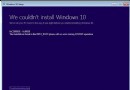
Win10 修改登錄表導致功能異常,可透過管理員命令提示字元執行 4 條 REG 指令恢復預覽版更新通道預設值:設定 BranchName=fbl_release、ThresholdRiskLevel=low、刪除 ThresholdInternal 與 ThresholdOptedIn 值。
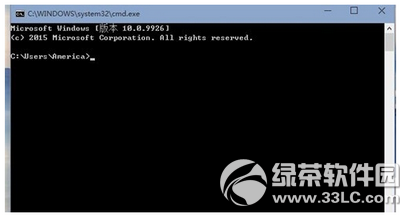
reg add "HKEY_LOCAL_MACHINE\SOFTWARE\Microsoft\WindowsSelfHost\Applicability" /v "BranchName" /d "fbl_release" /t REG_SZ /f
reg add "HKEY_LOCAL_MACHINE\SOFTWARE\Microsoft\WindowsSelfHost\Applicability" /v "ThresholdRiskLevel" /d "low" /t REG_SZ /f
reg delete "HKEY_LOCAL_MACHINE\SOFTWARE\Microsoft\WindowsSelfHost\Applicability" /v "ThresholdInternal" /f
reg delete "HKEY_LOCAL_MACHINE\SOFTWARE\Microsoft\WindowsSelfHost\Applicability" /v "ThresholdOptedIn" /f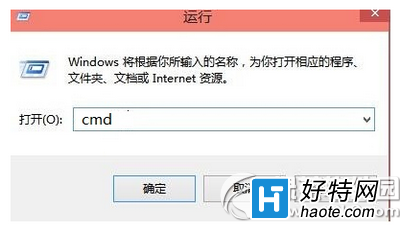
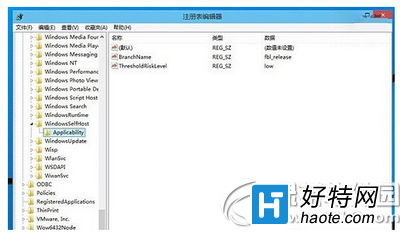
適用場景:Insider 預覽版手動修改更新通道註冊表導致無法接收更新、版本錯誤等問題。正式版用戶極少遇到此情況,更新通道由 Windows Update 自動管理。
全息 Win10 (HoloLens) 曝光:磚塊開始菜單、手勢交互、Actiongram 全息視頻創作
Win 10 開啟 RAR 檔案閃退?關閉 Windows Defender 服務即可解決
Win10 網路圖示黃色驚嘆號消除法:同樣透過登錄關閉本機連線提示
Win10 安裝 QQ 必裝 6.4 以上版本:官網下載最新版即可正常使用
Win10 刪除主題:個人化視窗刪除自訂主題、主題資料夾刪除系統預設主題
升級 Win10 後網卡驅動遺失無法上網?驅動人生萬能網卡驅動包一鍵解決
Win10 如何加入 Windows 測試人員計畫,獲取 Insider Preview 會員版本
Win10 應用商店下載的應用安裝在哪裡?預設路徑 C:\Program Files\WindowsApps(隱藏資料夾)