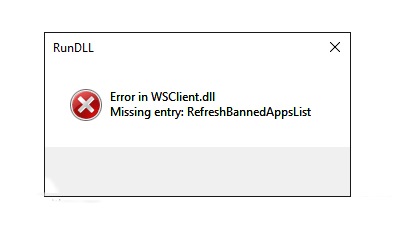
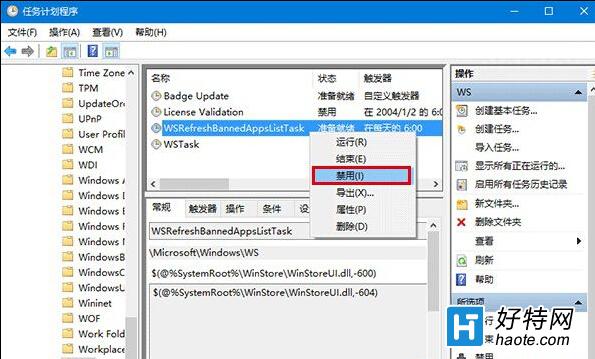
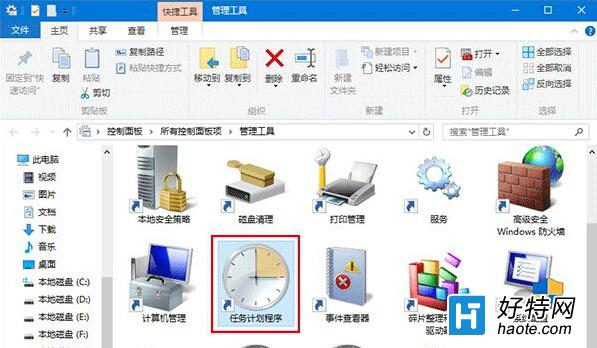
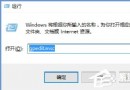
升級 Win10 Insider Preview(如 11099 版)後,部分使用者開機或操作時彈出 WSClient.dll 遺失/錯誤 視窗。經分析,此 DLL 屬於排程任務 WSRefreshBannedAppsListTask 的服務檔案,停用該任務即可停止系統呼叫該 DLL,徹底解決錯誤提示。
WSRefreshBannedAppsListTask
停用後重新開機,WSClient.dll 錯誤提示即不再出現。此任務功能為定期更新「已禁止應用程式清單」,停用對系統核心功能無影響,屬安全操作。
Windows 10 擴充 C 槽空間:Acronis Disk Director 11 Home 圖形化操作
Win10 正式版自訂工作列顏色完整指南
Win10 開始選單點擊無反應/打不開?兩大修復方案:重啟 Explorer 進程 / PowerShell 重註冊 UWP 應用
Windows 10 正式版攝影機無法使用修復:註冊表 EnableFrameServerMode=0 還原 MJPEG/H264 支援
Win10 升級 TH2 版過程中斷怎麼辦?
Windows 10 照片應用程式「選擇性焦點」效果讓照片局部突出
Win10 隱私權設定完整指南:一般、位置、相機、麥克風、語音、帳戶資訊逐項控制
Win10 關閉 Windows Defender 教學:避免與第三方殺毒軟件衝突