Win10 桌面/資料夾右鍵選單無反應,但工作列/開始選單正常,多為登錄表 IsShortcut 字串值遺失。補回該值即可恢復。
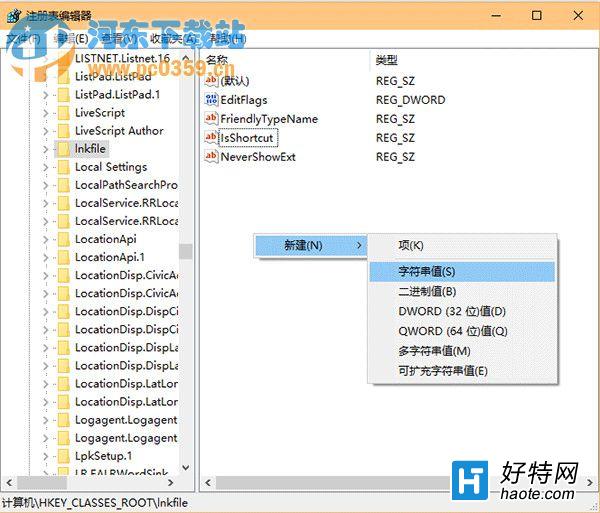
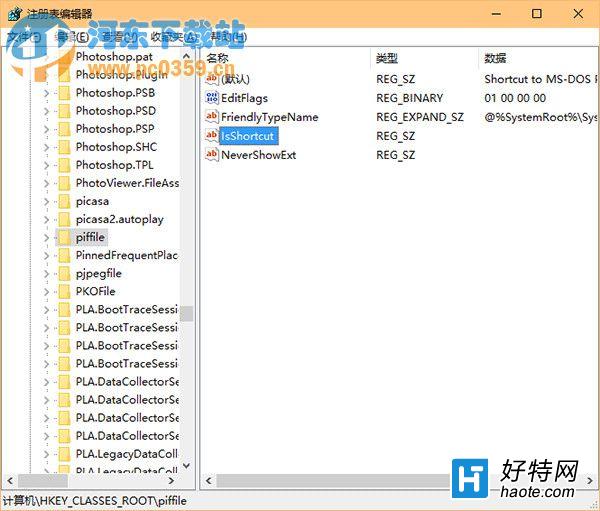
IsShortcut
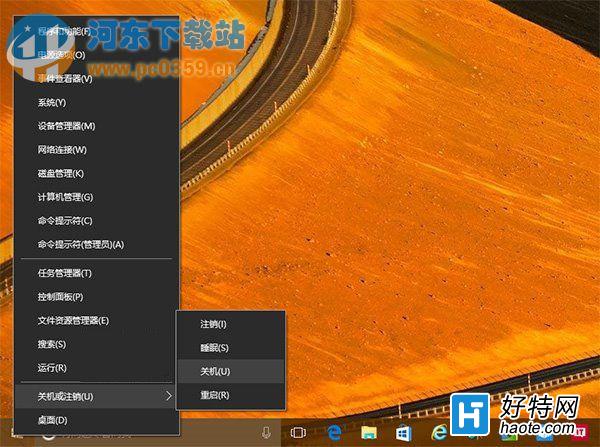
regedit
HKEY_CLASSES_ROOT\lnkfile
HKEY_CLASSES_ROOT\piffile
此法亦適用 Win8 同類問題。修復後右鍵選單即刻恢復流暢彈出,告別卡頓等待。
Win10 系統完全沒有睡眠選項?群組原則啟用「睡眠時允許待機 (S1-S3)」恢復
Win10 安裝 SolidWorks (SW) 反覆提示「需重新開機」?兩階段離線安裝法破解迴圈
Win10 批量卸載所有磁貼:PowerShell 一行指令清空開始選單
Windows 10 啟動小娜的兩種方式:語音喚醒與鍵盤快速鍵
Windows 10 新增與設定英文 (美式) 鍵盤為預設輸入法教學
Win10 轉型「服務模式」:微軟營收確認機制大變革
Win10 筆電省電設定完全指南:5 招延長續航力
Win10 10130 無聲音?播放裝置進階設定變更預設格式 (24-bit/48kHz → 16-bit/44.1kHz) 即時恢復