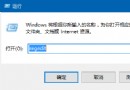
Win10 登出功能從開始選單移至右鍵選單,另有 Alt + F4 傳統快捷鍵可用。
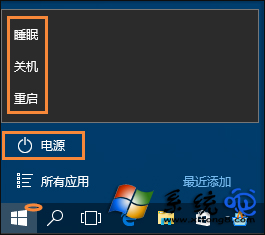
右鍵「開始」 → 「關機或登出」 → 「登出」。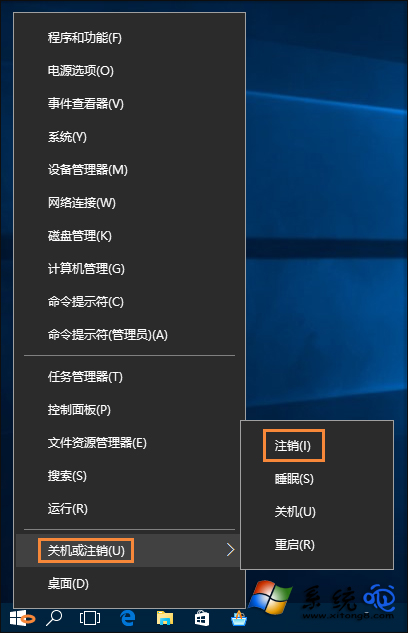
桌面按 Alt + F4 → 「關閉 Windows」對話框 → 下拉選「登出」 → 確定。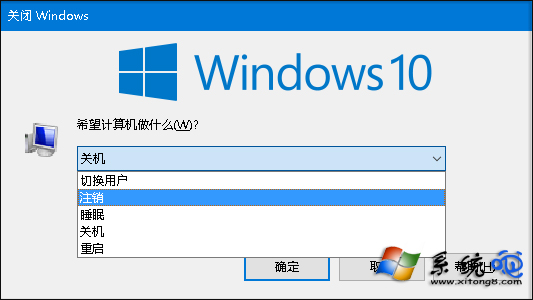
登出會強制關閉所有執行中程式,**請先儲存工作**。登出可切換使用者帳戶、重置使用者會話、釋放被佔用的檔案鎖定。
Win8 升級 Win10 開機藍屏?教你禁用獨顯驅動順利升級
Win10 開機出現 Recovery 藍屏「Your PC needs to be repaired」:升級損毀唯有重裝系統
Windows 10 內建防毒 Windows Defender 無法啟動的修復方法
Win10 安裝 CAJViewer 文獻閱讀器完整圖文教學:下載→執行→授權協議→安裝路徑→完整安裝
Windows 10 離線安裝 .NET Framework 3.5:使用 DISM + 安裝映像檔,無需聯網下載
Windows 10 周年更新重磅功能總覽:Windows Ink、Cortana 鎖屏、Edge 擴充、Bash Shell、安全強化