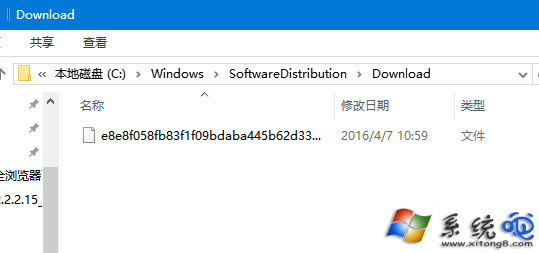
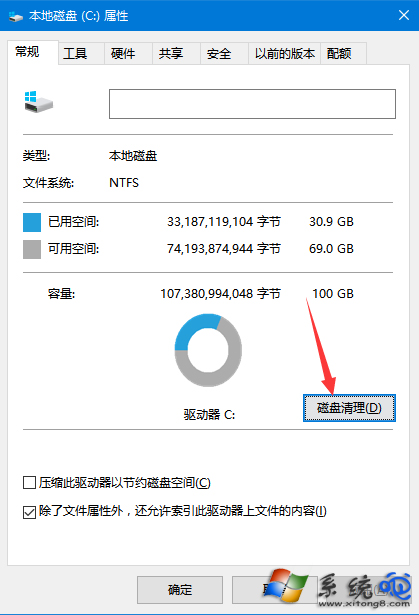
Win10 更新下載的安裝包佔用大量 C 槽空間。兩種方法徹底清除:手動刪除 SoftwareDistribution\Download 資料夾內容,或使用內建「磁碟清理」勾選「Windows 更新清理」。
SoftwareDistribution\Download
C:\Windows\SoftwareDistribution\Download
建議:定期執行磁碟清理,保持 C 槽暢通。若更新後系統穩定,Windows.old 也可透過磁碟清理「之前的 Windows 安裝」移除。
Windows.old
Win10 事件檢視器完整使用指南
Windows 10 找回 IE 瀏覽器:兩種快速開啟與固定方法
Win10 系統需求完整版:1GHz CPU、1/2GB 記憶體、16GB 硬碟、DirectX 9 顯卡、Microsoft 帳號、網路連線
Windows 10 正式版前急需解決的 9 大痛點問題
Win10 開機報 amdxata.sys 無法驗證數位簽章?進安全模式停用強制簽章 + 重裝顯卡驅動/殺毒
Win10 筆電省電全攻略:電池使用分析、節電模式、PowerCfg 指令、電源計畫完整教學
Win10 通知訊息顯示時間太短?延長通知停留時間設定教學
Win10 免登出切換開始選單/開始畫面:註冊表修改法