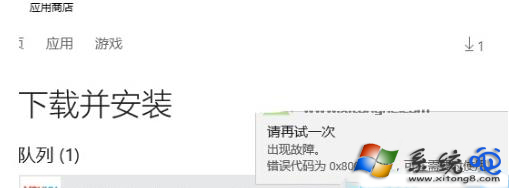
從 Microsoft Store 安裝 QQ、優酷等應用時出現錯誤代碼 0x80070490,除磁碟空間不足外,常因 Store 快取損毀或隱藏系統分區異常導致。執行 wsreset 重置 Store 快取多數情況可修復。
0x80070490
wsreset
wsreset.exe
若無效,請檢查系統磁碟剩餘空間(建議 > 20GB),並以管理員身分執行 sfc /scannow 修復系統檔案。
sfc /scannow
Win10 啟用 Cortana 小娜語音喚醒功能完整教學
Windows 10 技術預覽版系統需求完整指南:硬體規格與安裝限制詳解
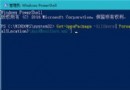
Win10 郵件應用無法同步/Outlook 同步失敗 0x80c8043e?PowerShell 移除佈建套件重裝郵件與行事曆
Win10 錯誤報告查找解決方案:rundll32 啟動 ErcApp 與控制台 Action Center 完整指令
Windows 10 雙系統安裝教學:分區法最簡單、保留 Win7/8 主系統
Windows 7/8.1 升級 Windows 10 TH2 正式版完整圖文教學 (保留檔案/應用程式)
Windows 10 升級失敗錯誤碼 0x80246017 解決方案:修改登錄鍵值
Win10 藍畫面 0x00000133 錯誤?切換至 Microsoft Storahci.sys 驅動程式暫時規避