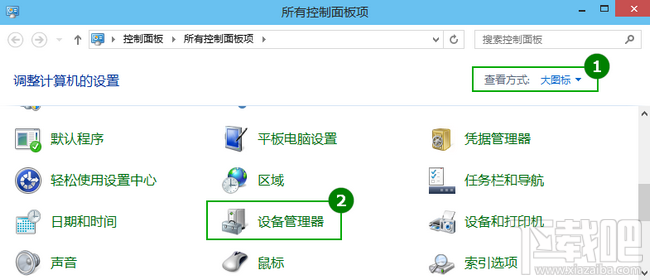
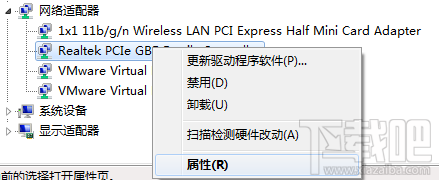
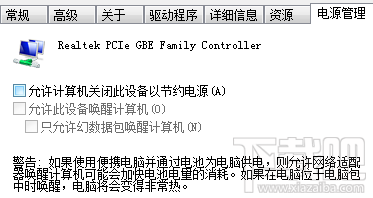
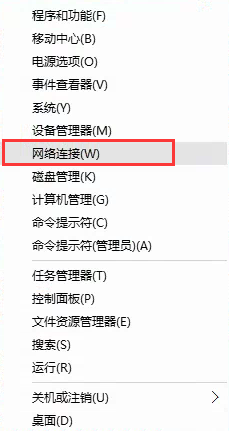
待機斷網導致下載/掛機中斷,解法:取消網卡「允許電腦關閉此裝置以節省電源」。
設定後待機維持網路連線,下載、遠端桌面、掛機全無阻礙。
Windows 10 硬體需求高嗎?五年內舊電腦都能流暢執行
Windows 10 韓文介面切換為簡體中文:控制台語言設定教學
Windows 10 如何查看已連接 Wi-Fi 密碼?四步驟圖文教學
Win10 打開系統配置工具兩大法:msconfig 運行命令與控制面板管理工具
Win10 提示「您目前無權存取此資料夾」解決辦法:取得擁有權完整教學
Win10 如何查看已連線 WiFi 密碼?網路共用中心無線屬性「顯示字元」一鍵揭露
Win10 升級 9926 出現 0x80070002 錯誤解決法:清除 SoftwareDistribution 資料夾
Win10 TH2 更新失敗?同 22590 五大原因與離線升級方案