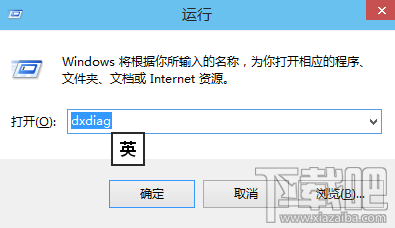
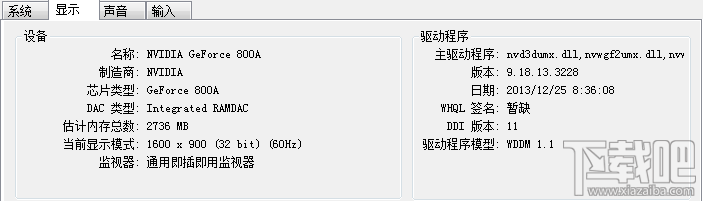
Win+R → dxdiag → 「顯示」分頁 → 看晶片型號、顯存大小(1024MB=1GB)。
dxdiag
要更詳細資訊(核心頻率、驅動版、溫度、跑分)請用魯大師/AIDA64。
Windows 10 如何快速打開 HTML 檔案?重設預設應用程式即可解決
Win10 提示「區域連線沒有有效的 IP 設定」?手動設定 IP 解決
Win10 10586.318 累積更新出現 Bug:導致電腦運行緩慢,微軟建議暫時關閉 Cortana
Win10 輸入時游標變粗變黑塊?輕鬆使用調整游標粗細與大小
Win10 更新驅動後裝置異常:裝置管理員「復原驅動程式」一鍵回滾 (同 ID 23143)
Win10 內建計算機「程式設計師」模式:十六進位/十進位/八進位/二進位 秒轉換
Windows 10 將回收站釘選到工作列:繞道「開始選單」兩步驟完成
Win10 無法調整音量?修改登錄重新啟動 systray.exe 修復