Build 9860 新增「資料流量感知」功能,可詳細掌握 Wi-Fi/行動網路用量:
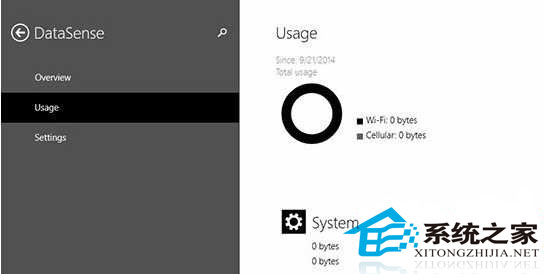
進入路徑
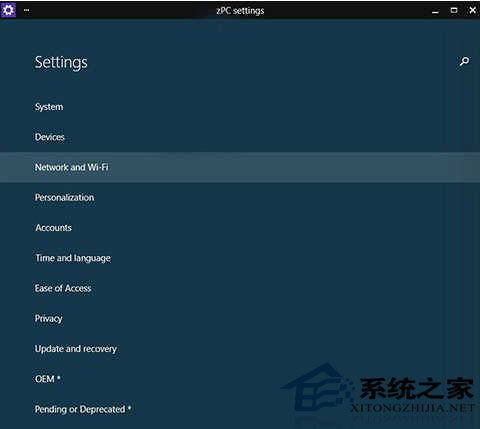
開始選單 →「電腦設定」→「Pending or Deprecated」→「Data Sense」。
核心功能
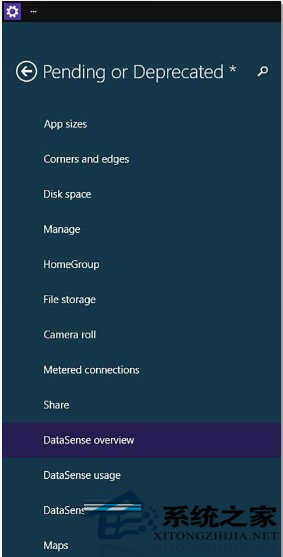
善用此功能,讓筆電/平板在有限流量方案下也能安心使用。
Windows 10 家庭版如何升級專業版?兩種官方管道與成本分析
Win10 開始選單打不開/消失?兩大修復法:控制台輸入密鑰獲取新功能、或任務列屬性勾選「使用開始選單」
Win10 升級 10041 報錯 0x80070103 / 8024a000?清理暫存、重置更新服務、刪除殘留資料夾三步驟修復
Win10 「音樂」App 加入本地音樂資料夾,打造個人音樂庫
Windows 10 9926 「設定」應用程式介面導覽:系統、裝置、網路、個人化、帳戶、隱私、更新與安全性
Win10 必應字典背單詞功能完整教學:生詞本→背單詞→長按判斷認識度→計時機制→輪次統計