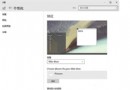
regedit
HKEY_LOCAL_MACHINE\Software\Microsoft\Windows\CurrentVersion\ImmersiveShell\Launcher\
UseExperience
1
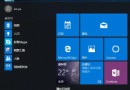
將 UseExperience 改回 0 重啟 explorer.exe 即恢復一般開始功能表。
0
Win10 將應用程式釘選到「開始」磚面板完整教學
Windows 10 無法執行 魯大師:相容模式設定為 Windows 7/XP 解決啟動失敗
Windows 10 啟用隱藏登入介面 (雙登入畫面) 登錄表修改教學
Win10 設定 5.1 環繞聲道完整圖文教程
IE11 快取資料夾怎麼移到別顆硬碟?釋放 C 盤空間完整步驟
Win10 分螢幕多工操作:滑鼠拖曳邊緣/角落 + Win+方向鍵 快速佈局
Win10 IE 瀏覽器假死卡住?清除快取、Cookie、重設 Winsock 目錄解決
Win10 Compact 壓縮模式一鍵開啟:CMD 指令節省 2GB+ 系統空間,附關閉方法