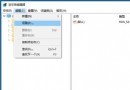
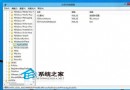
reg add "HKEY_LOCAL_MACHINE\SOFTWARE\Microsoft\Windows\CurrentVersion\Explorer\Shell Icons" /v 29 /d "%systemroot%\system32\imageres.dll,197" /t reg_sz /f
taskkill /f /im explorer.exe
attrib -s -r -h "%userprofile%\AppData\Local\IconCache.db"
del "%userprofile%\AppData\Local\IconCache.db" /f /q
start explorer
pauseRemoveArrow.bat。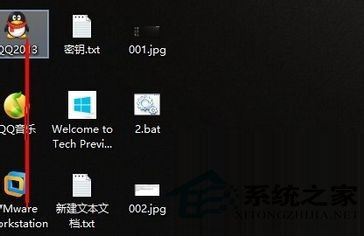
Shell Icons\29 映射至快捷方式覆蓋圖標索引,imageres.dll,197 為空白/透明圖標資源,實現視覺隱藏。taskkill /f /im explorer.exe 重啟 Shell 刷新圖標緩存。IconCache.db 強制重建圖標數據庫,徹底清除殘留箭頭緩存。刪除注冊表 HKLM\...\Shell Icons\29 值 → 重啟 explorer / 重啟電腦,小箭頭恢復顯示。
Windows 10 移除桌面捷徑小箭頭:批次檔修改登錄檔 Shell Icons 29 值法
Win10 UWP 應用程式閃退?wsreset 清除應用程式商店快取修復
Win10 新觸控板手勢功能詳解:TechEd 歐洲展示三指操作與多螢幕貼齊
Win10 IE 瀏覽器停用網頁動畫省電技巧,筆電續航再加分
Windows 10 如何安裝啟用 Office 2013?KMSpico 10.0.5 一鍵啟用教學
Win10 藍屏顯示詳細資訊:修改註冊表啟用 DisplayParameters 還原傳統藍屏診斷文字
Win10 右鍵選單樣式修改:同 22059/22011 登錄 ImmersiveContextMenu 切換傳統/現代樣式