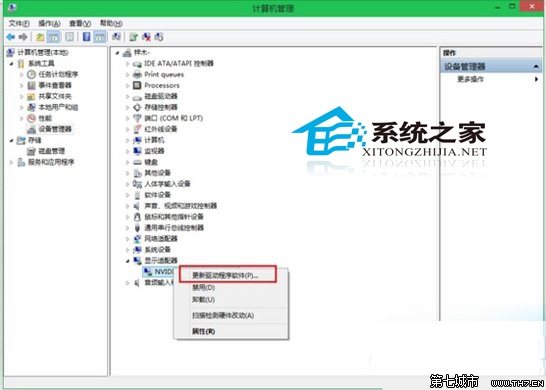
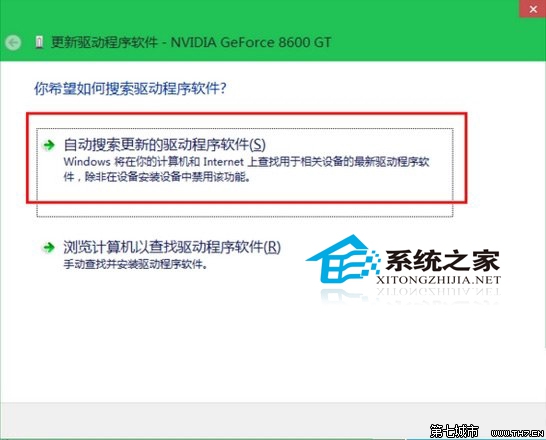
硬體廠商會持續釋出驅動更新以提升相容性與功能,建議定期檢查更新。
Win 10 解鎖 Eva 語音合成引擎(英文女性聲音)註冊表法
Win10 磁碟清理如何操作?內建工具釋放空間加速系統完整教學
Win10 系統最低硬體需求完整版:官方規格與十大注意事項
Windows 10 安裝 Windows 8.1 雙系統教學:U盤啟動、BIOS/UEFI 雙模式、分區規劃完整圖解
Win 10 如何刪除檔案屬性中的「未知帳戶」?進階安全性設定停用繼承權限
Windows 10 修改網卡 MAC 位址:三種查詢方式與裝置管理器修改法
Win10 藍屏顯示詳細資訊:修改註冊表啟用 DisplayParameters 還原傳統藍屏診斷文字
Win10 升級卡在「安裝程式正在清理」?強制結束任務+清除啟動項重試