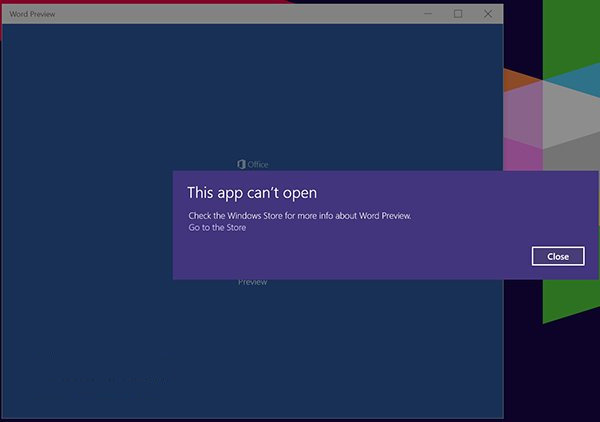
Win10 預覽版中觸控版 Office (Store 版) 常因 ClipSVC 授權服務快取損毀無法啟動。解除安裝重裝無效,需重置服務快取。以下為完整修復流程:
license.bat
此問題僅發生於 Microsoft Store 版 (觸控版) Office,傳統 MSI 安裝版 Office 不受影響。正式版 Win10 已大幅改善 Store 授權機制,此類問題較少見。
Win10 開始選單「睡眠」選項消失?修改群組原還原睡眠功能
Win10 內建「郵件」應用完整使用教學:新增帳戶、支援類型、常用操作
Win10 筆電螢幕亮度調整完整教學
DirectX 11 安裝教學:下載、解壓、執行 DXSETUP.exe 完整流程
Win10 Build 10162 推送更新:提升電池續航、修正 Bug
Win10 如何透過群組原則關閉 Windows Defender
Win10 Edge 瀏覽器設定首頁:設定→進階設定開啟首頁開關輸入網址
Windows 10 預覽版版本不符無法啟用?一鍵解鎖升級專業版