Build 10041 Cortana 支援中文等多語言,但設定不符即會「罷工」。官方修復清單:
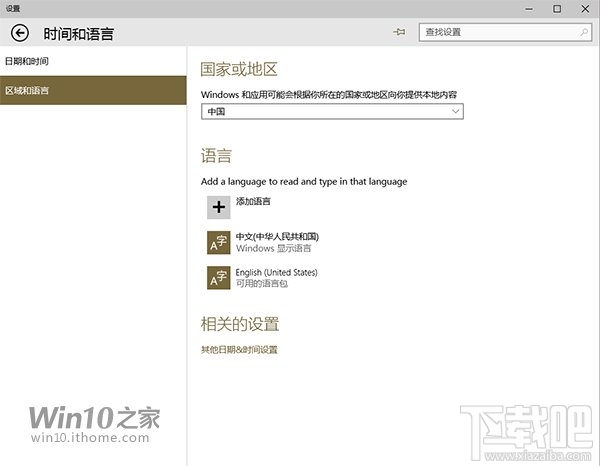
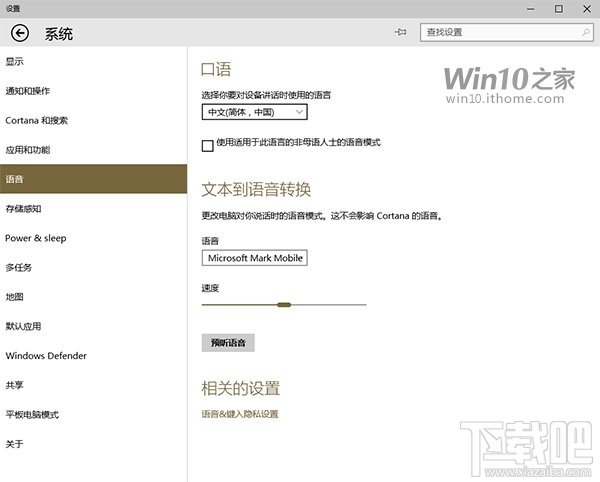
若點擊 Cortana 圖示/搜尋列無反應,嘗試重開機(重啟 explorer.exe 通常無效)。此問題會間歇性出現,微軟持續優化中。整體 10041 功能豐富但 Bug 仍多,期待後續版本。
Win10 顯示卡驅動更新兩大法:裝置管理員自動更新、360 驅動大師離線安裝
Win10 工作列音量圖示消失?啟用系統圖示並調整音訊裝置屬性完整解決
Win10 開啟 Word 跳出「安全性警示」視窗?停用巨集功能即可解決
Win10 怎麼看已連接 Wi-Fi 密碼?圖文教學輕鬆找回遺忘密碼
Win10 0x80070002 錯誤分析:硬碟變更與第三方服務衝突兩大主因
HTML 檔案是什麼?Win10 打開 HTML 檔案完整教學
Win10 定位功能無法開啟?服務管理員啟用 Geolocation Service 修復
Win10 預覽版恢復任務列舊版時鐘:注冊表新建 UseWin32TrayClockExperience DWORD=1