Build 9879 用戶普遍回報 Steam 每 20-25 分鐘崩潰一次。微軟工程師建議:使用 Win8 相容模式運行遊戲、或等待顯卡廠商釋出 Win10 專用驅動。玩家社群自發發現臨時緩解方案:遊戲啟動前重啟 Steam Client Service。

net stop "Steam Client Service"
net start "Steam Client Service"
timeout 900
steamrestart.bat
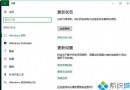
steamrestart.bat(若不顯示副檔名,資料夾選項取消「隱藏已知副檔名」)。此腳本每 15 分鐘(900 秒)自動重啟一次服務,並自我循環呼叫,能大幅降低崩潰頻率。微軟承諾本月內透過更新修復,請密切關注 Windows Update。