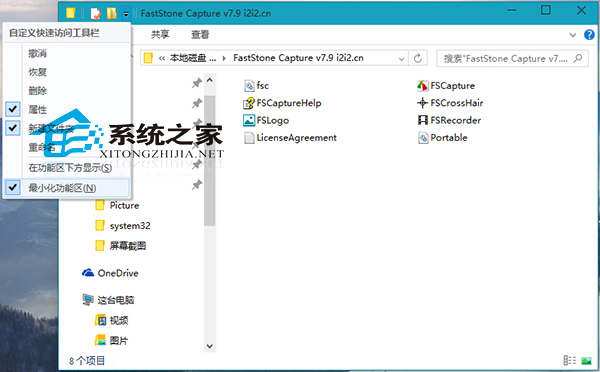
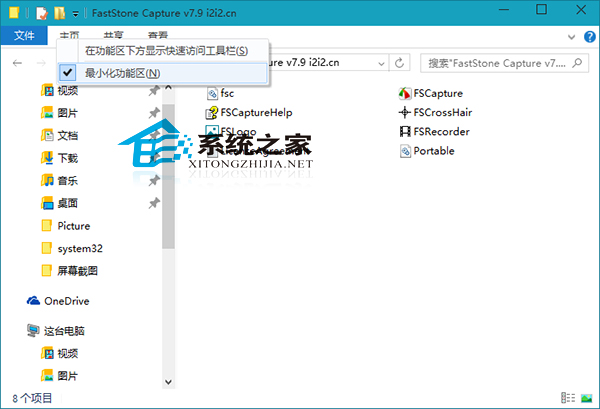
Win10 檔案總管的功能區預設可最小化,三種方法讓它永遠展開:
點擊快速存取工具列下拉選單 → 取消勾選「最小化功能區」。
在功能區標籤空白處右鍵 → 取消勾選「最小化功能區」。
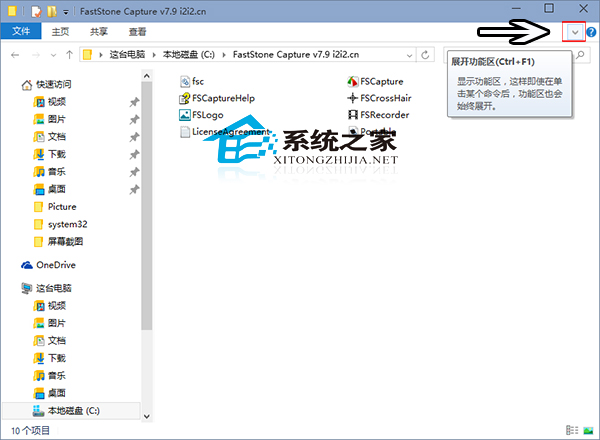
點擊功能區右上角的「展開功能區」箭頭按鈕(向下箭頭)。
提醒:功能區佔用螢幕空間較大,小尺寸筆電建議需要時才點擊標籤展開。
Win10 升級後多出一個 450MB「復原分區」怎麼辦?能不能刪除?完整解析
Windows 10 更新卡住不動?重置 Windows Update 元件三步驟解決
Win10 玩遊戲藍屏代碼 0x0000007E 怎麼解決?事件檢視器分析與補丁卸載雙方案
Win10 檔案總管隱藏「常用資料夾」與「最近使用的檔案」:資料夾選項兩步驟完成,保護隱私
Win10 DVD 播放器常見 6 大問題與解決辦法整理
Windows 10 如何關閉 Cortana 搜尋方塊或改為圖示
Win10 喇叭音質調整教學:三步解鎖高品質聽覺體驗
Win10 禁止自動下載安裝套件/升級 Win10 兩大法:移除 KB3035583 與註冊表 DisableOSUpgrade