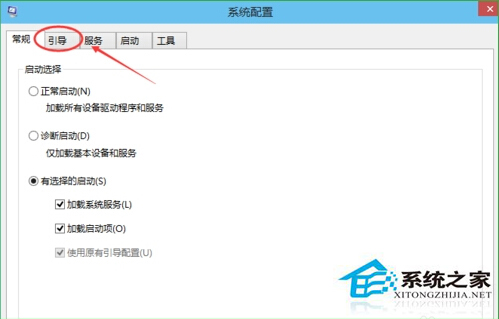
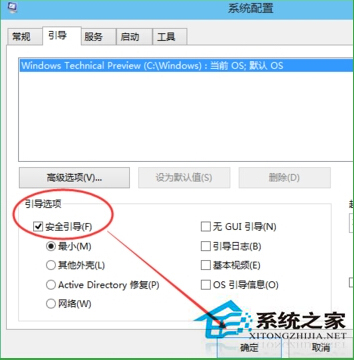
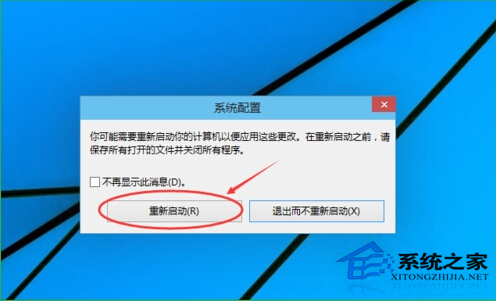
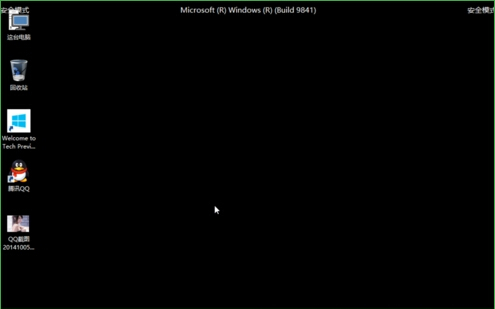
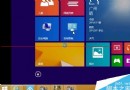
需進入安全模式進行疑難排解時,可用系統設定工具設定下次開機進入安全模式:
msconfig
完成疑難排解後,**務必再次開啟 msconfig 取消勾選「安全開機」**,否則每次開機都會進入安全模式。
Windows 10 官方零售版價格公布:家用版 119 美元、專業版 199 美元
Win10 加快開機速度:停用啟動項與註冊表消除啟動延遲
Win10 右側邊欄(Charms Bar)不見了?用 Win+C 快捷鍵喚出
Win10 將秒錶釘選到「開始」菜單(另版教程)
Windows 10 變更 Microsoft 帳號 PIN 碼教學:設定應用程式快速操作
Windows 10 周年更新 14393.5 版本更新內容:Edge 穩定性與耗電修復
Win10 變更 Microsoft 帳號 PIN 碼教學,強化登入安全性
Win10 飛行模式完整指南:開啟方式、個別網路控制與故障排除