Win10 Build 10056 後標題列固定白色,因 `uDWM.dll` 偵測主題檔名為 `aero.msstyles` 即強制白色。透過複製重命名主題資源檔,繞過偵測機制,可恢復標題列跟隨強調色彩變化。
核心原理
`uDWM.dll` 檢查主題檔案名稱是否為 `aero.msstyles`,若符合則強制標題列白色。只要避免此檔名匹配,標題列即可恢復彩色。
詳細操作步驟
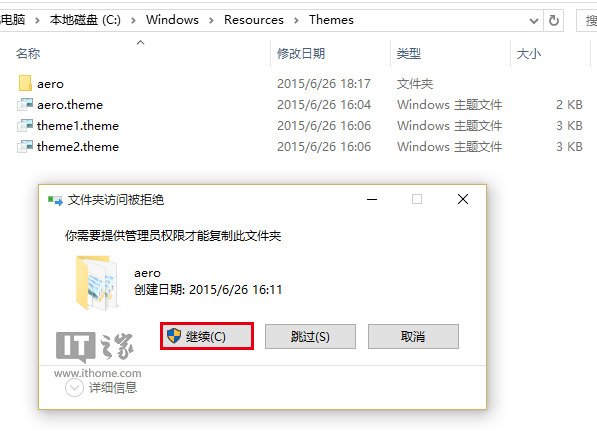
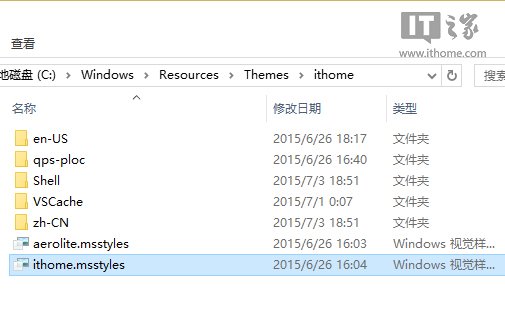
- 進入 `C:\Windows\Resources\Themes`,複製 `aero` 資料夾並重命名 (如 `ithome`)。
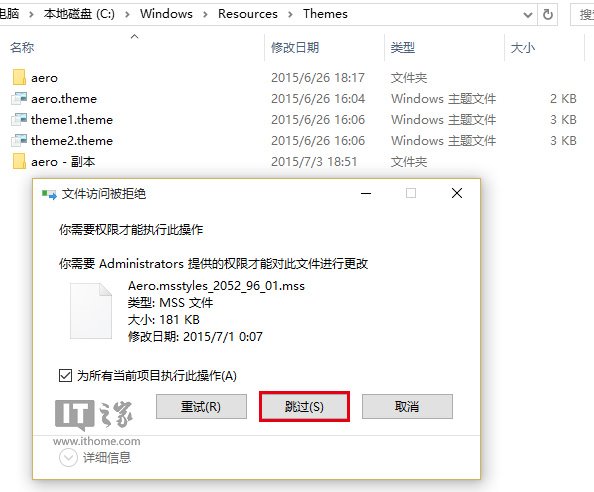
- 複製過程權限提示選擇 [為所有目前項目執行] → [略過]。
- 進入新資料夾,將 `aero.msstyles` 改名為 `ithome.msstyles`。
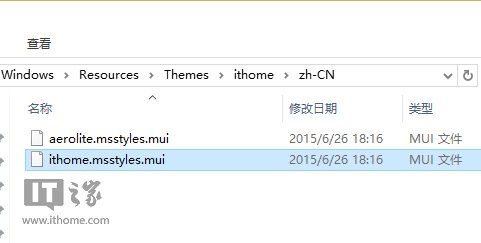
- 進入語系資料夾 (`zh-CN` 或 `en-US`),將 `aero.msstyles.mui` 改名為 `ithome.msstyles.mui`。
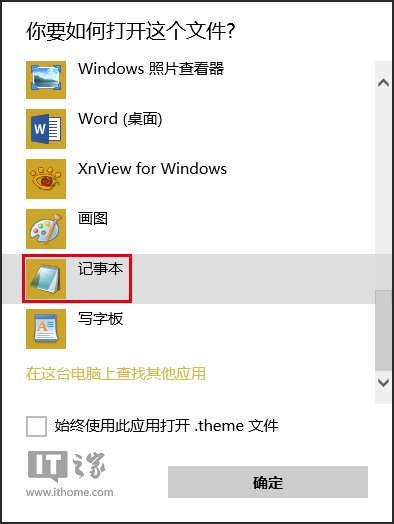
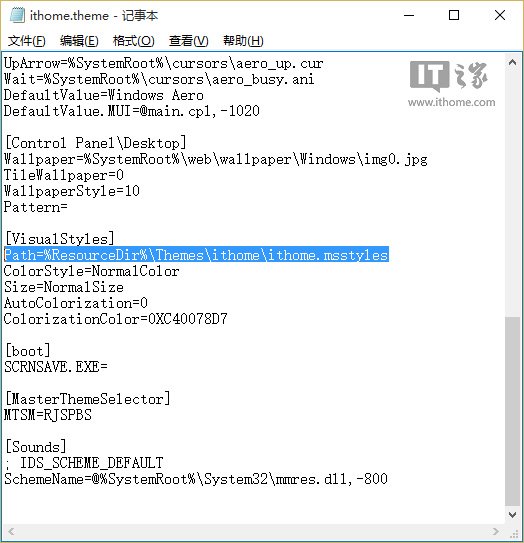
- 複製 `aero.theme` 到桌面,重命名 `ithome.theme`,用記事本開啟修改路徑:
Path=%ResourceDir%\Themes\ithome\ithome.msstyles
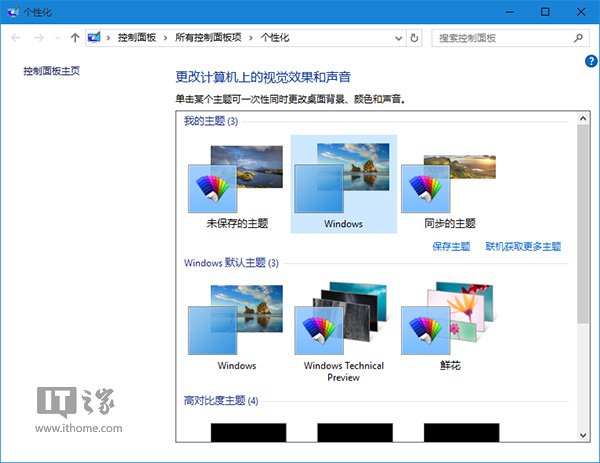
- 雙擊套用 `ithome.theme`,標題列即可跟隨主題色彩變化。
風險與恢復
- 修改系統受保護檔案,可能導致介面異常、更新失敗。
- 微軟未官方支援此作法,建議先建立系統還原點。
- 恢復預設:切換至任一內建主題即可。