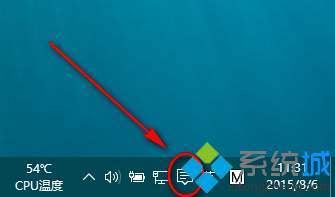
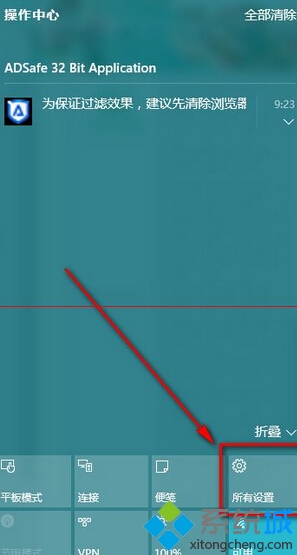
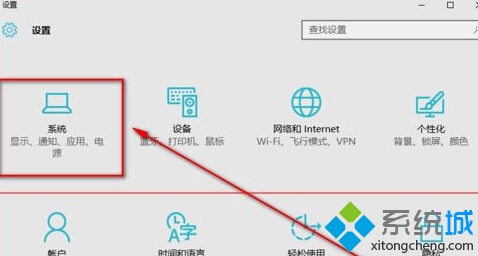
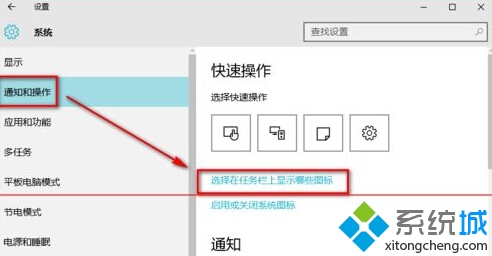
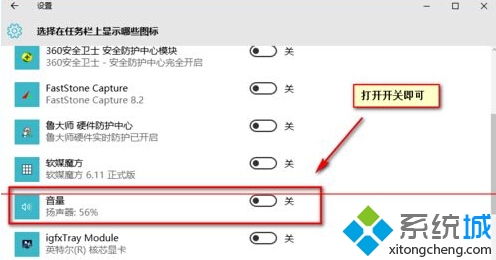
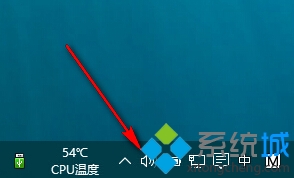
若開關已開仍不顯示,嘗試關閉再開啟,或重啟 Windows Explorer。
升級 Win10 後提示「授權即將過期」怎麼辦?重新啟動或聯繫原廠/購買正版授權
Win10 清除「最近開啟檔案」記錄完整教學:總管、開始功能表、第三方工具一次搞定
Win10 藍屏錯誤代碼 0x00000050 解決方案:清啟動排查衝突
Win 10 消費者預覽版何時釋出?傳明年初推出
Win10 更新失敗錯誤 0x80070002 (80070002) 官方標準修復:停止服務、清理 SoftwareDistribution 快取、重啟服務三步曲
Win10 關閉寬帶連線彈出提示框:Internet 選項連線分頁刪除 PPPoE 連線設定
Windows 10 更換產品金鑰:CMD 一行指令搞定
Win10 如何關閉/隱藏快速存取 (Quick Access)?登錄修改 Attributes 值圖文教學、可還原