升級 Win10 後螢幕不停閃爍無法操作,微軟社群專家建議進入安全模式停用兩項錯誤回報服務:
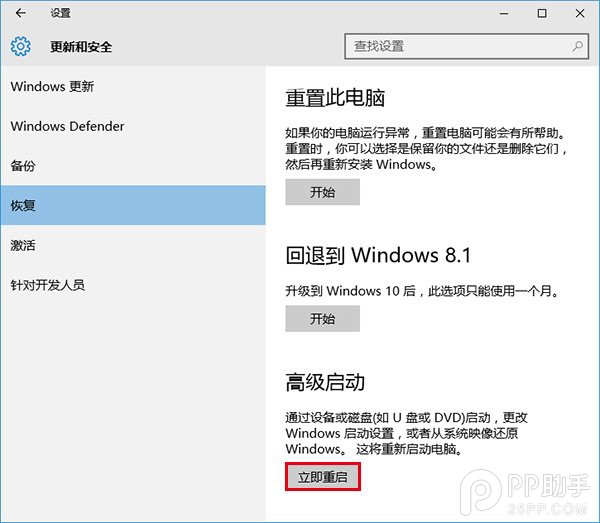
- 「設定」→「更新與安全性」→「復原」→「進階啟動」→「立即重新啟動」。
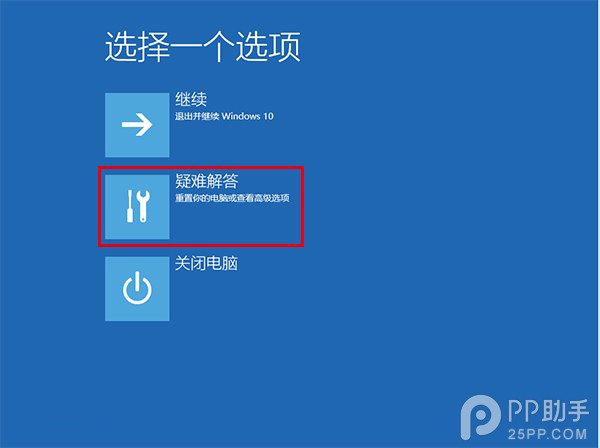
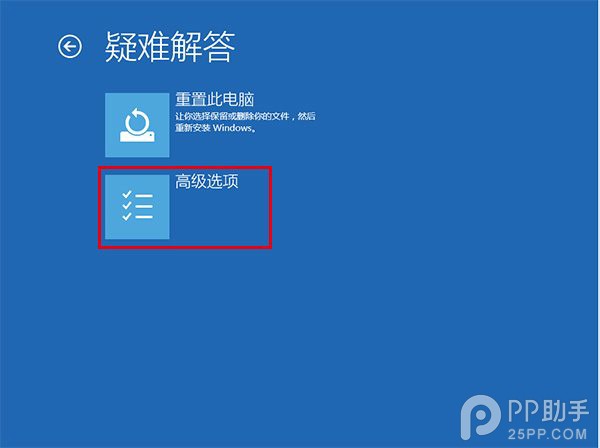
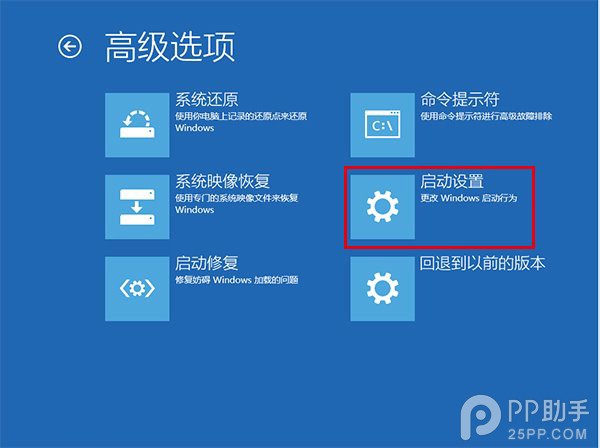
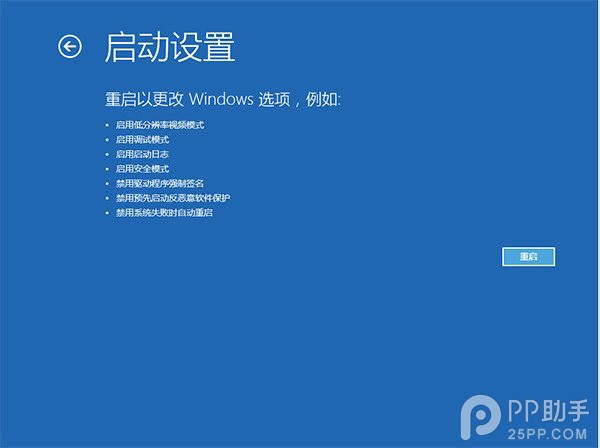
- 重啟後選擇「疑難排解」→「進階選項」→「啟動設定」→「重新啟動」。
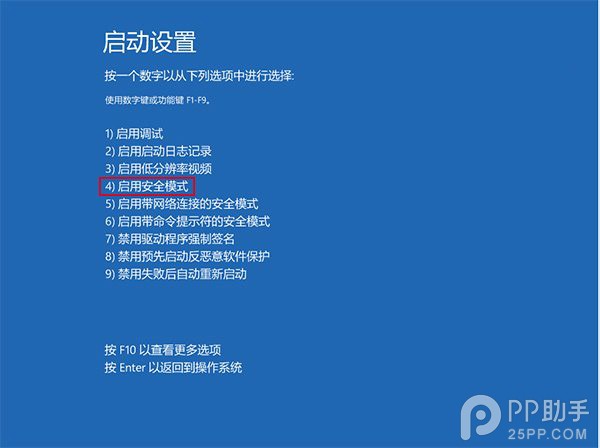
- 按 4 或 F4 進入安全模式。
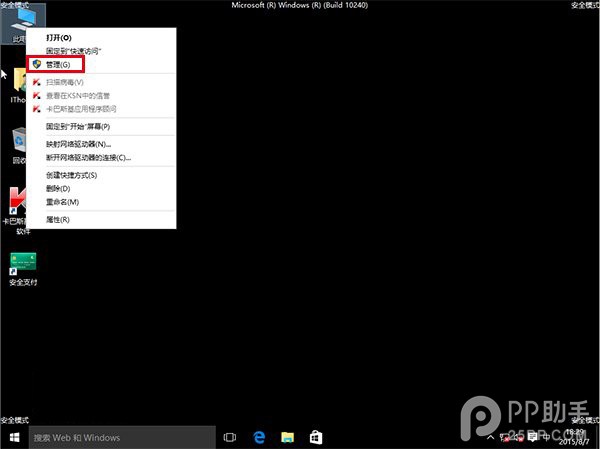
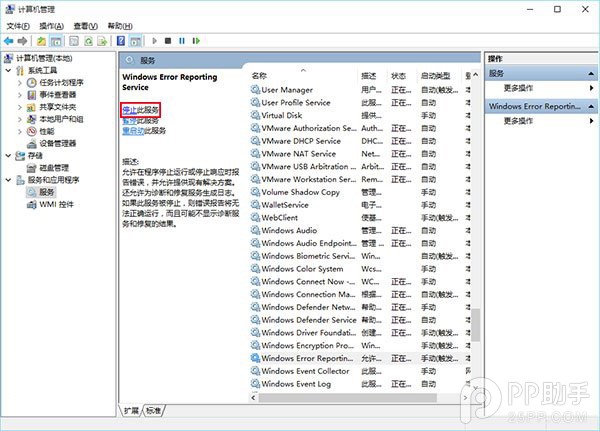
- 右鍵「這台電腦」→「管理」→「服務與應用程式」→「服務」。
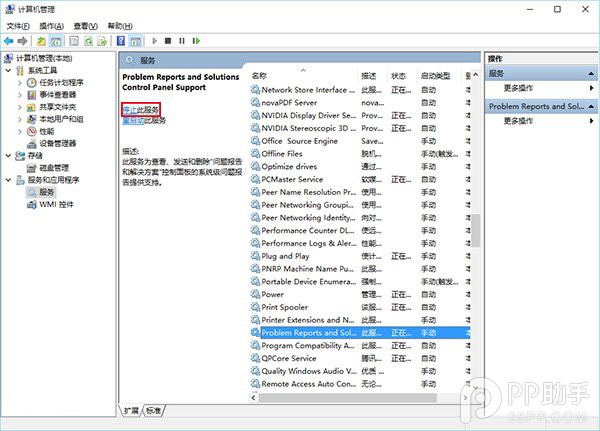
- 找到並停用「Problem Reports and Solutions Control Panel Support」與「Windows Error Reporting Service」。
- 關閉管理工具,正常重新啟動電腦,閃爍問題應解決。