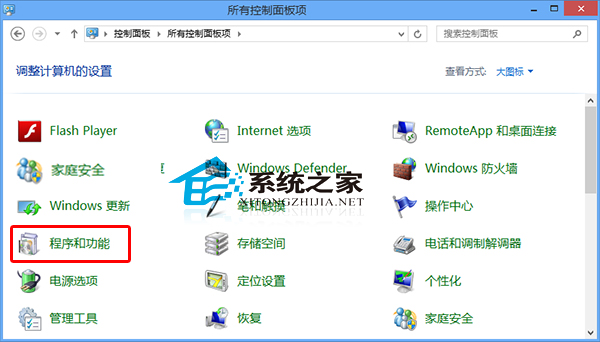
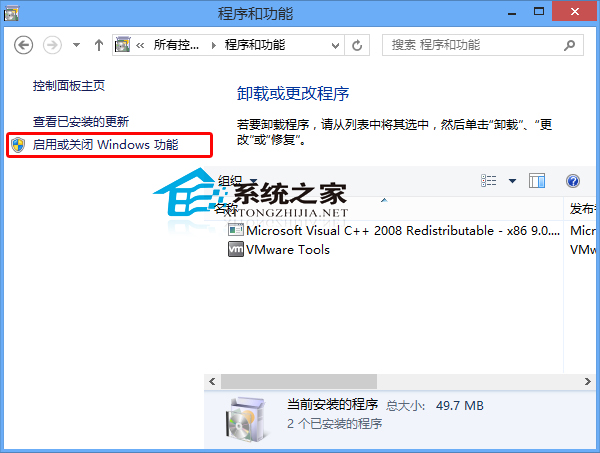
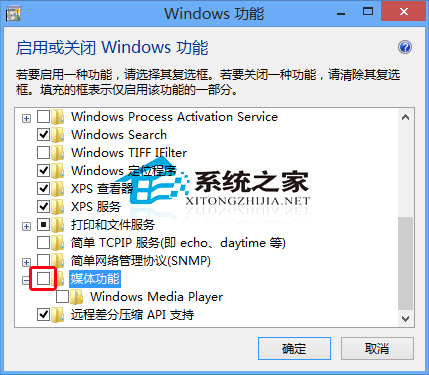
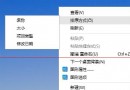
不需要內建 Windows Media Player?可透過 Windows 功能移除:
若只想取消預設播放器關聯,可參考「取消 Media Player 為預設播放器」教學,保留元件但不搶檔案關聯。
Windows 10 使用 Win7/Win8.1 經典桌面背景設定視窗:控制台指令 control /name Microsoft.Personalization /page pageWallpaper 呼叫舊介面
Win10 飛行模式開關:動作中心一鍵切換、卡住無法關閉進設定 → 網路與網際網路 → 飛行模式強制關閉
Win10 系統 igfxhk 模組停止運作?顯卡驅動異常完整解決指南
Windows 10 周年更新導致設定被重置為預設值?微軟承認 Bug 並釋出修補程式
Win10 開機加速:啟用「快速啟動」讓開機提速 30-50%
Win10 查看 DirectX 版本:dxdiag 診斷工具三步確認當前為 DirectX 11 非 12
Win10 螢幕保護程式設定完整教程:從個人化進入、選擇樣式、設定等待時間與登入保護
Windows 10 正式版發布時間:2015 年夏季,190 國 111 語言同步上市