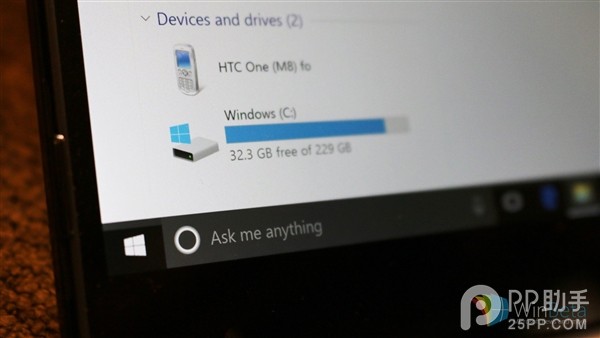
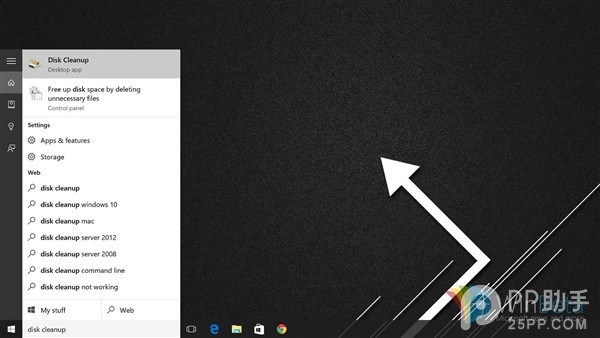
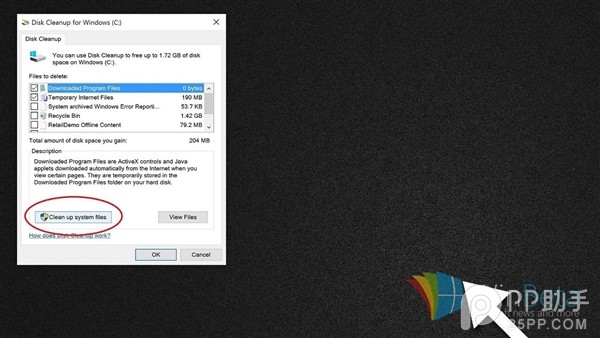
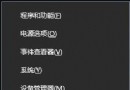
升級後 C 槽常因保留舊系統檔案而暴減空間。Windows 10 內建的「磁碟清理」可快速掃描並刪除暫存檔、回收站、舊日誌、快取等非必要檔案。
Disk Cleanup
若一般清理仍不足,可在清理清單中勾選 「以前的 Windows 安裝」 與 「Windows 升級記錄檔」。警告:刪除後將無法回滾至舊版本,請確認新系統穩定後再執行。
Windows 10 最低規格更新:2GB 記憶體、TPM 2.0 晶片成標配
Win10 左側導覽窗格出現兩個 USB 圖示?匯入 .reg 移除重複項目
Win10 升級後找不到便箋?其實只是改名叫「便利貼」了
Windows 10 升級完整指南:十大注意事項與常見問題解答
Win10 設定 Windows Defender 排程掃描時間與頻率(本機群組原則進階配置)
Win10 Build 10074 應用商店更新:UI 改版、新增下載圖示、支援自動更新切換
Win10 9879 文件管理器崩潰補丁 KB3020114 安裝失敗的解決方案
Win10 找不到 Internet Explorer?透過 Cortana 搜尋並釘選至工作列即可