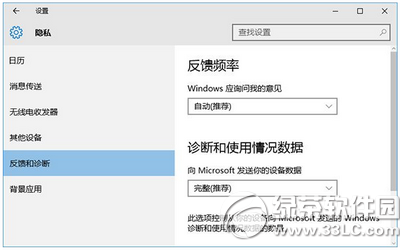
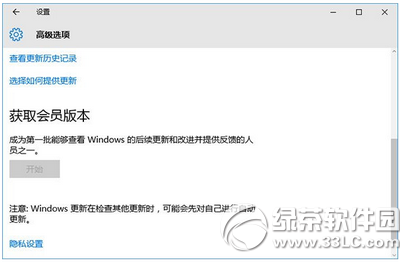
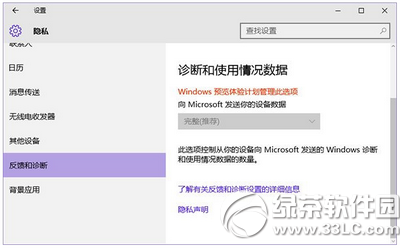
想加入 Windows Insider 計畫卻發現「取得內部組建」選項灰色不可用?這是因為隱私權設定不符合預覽體驗需求:必須允許傳送「完整」診斷資料。
升級至預覽版後,此選項將自動鎖定為「完整」且無法變更。
提醒:安裝預覽版後無法透過設定退出,若要回正式版必須重灌系統,請三思後再加入。
Win10 14393 UAC 視窗卡死無回應?修改 ChsIME.exe 權限或移除微軟輸入法修復
Win10 Edge 瀏覽器 4 大實用技巧:固定分頁、擴充功能、閱讀檢視、效能優化
Windows 10 如何全螢幕顯示磁貼應用?開始菜單左上角選單或 F 鍵快捷鍵
Win10 取消工作列自動隱藏:右鍵工作列→工作列設定→取消勾選「自動隱藏工作列」
Windows 10 如何禁止收集個人資訊?關閉診斷資料與 Cortana 一步到位
Win10 如何關閉高對比度模式?完整步驟教學
Win10 下 Adobe Premiere Pro 無法開啟?刪除 9.0 設定資料夾修復
Win10 任務列通知區域圖示異常?重置 IconStreams 與 UserStartTime 徹底修復