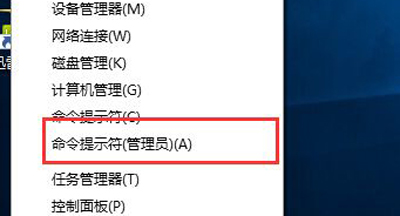
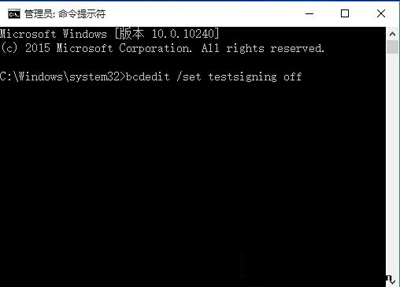
「測試模式」水印表示系統啟用**驅動程式強制簽名停用** (Test Signing Mode),允許載入未經 WHQL 認證的驅動程式。預覽版 10586 預設開啟。
bcdedit /set testsigning off
bcdedit /set testsigning on
Win10 Mobile 手機如何查看系統版本號?深層選單操作圖文教學
Win10 Snap 分螢幕完整指南:二/三/四分螢幕、任意比例調整、鍵盤快速鍵
提升 Win10 開機速度的四大優化策略
Win10 關機三大法:開始選單、Alt+F4、右鍵開始按鈕
Win10 清除檔案總管主頁「常用資料夾」與「最近使用檔案」
Windows 10 工作管理員效能小視窗模式使用教學
Win10 工作列右下角時鐘不見了?開啟系統圖示即可恢復
Windows 10 技術預覽版官方下載地址、安裝金鑰、系統需求、語言版本完整資訊