Windows XP Windows 7 Windows 2003 Windows Vista Windows 綜合教學 Linux 系統教學
Windows 10 Windows 8 Windows 2008 Windows NT Windows Server 電腦軟體教學

Windows 10 誤刪應用程式怎麼辦?透過 Microsoft Store 輕鬆重新安裝

編輯:Windows 10 系統介紹

不小心將 Windows 10 的應用程式解除安裝了?別擔心,只要透過 Microsoft Store 即可快速找回並重裝。
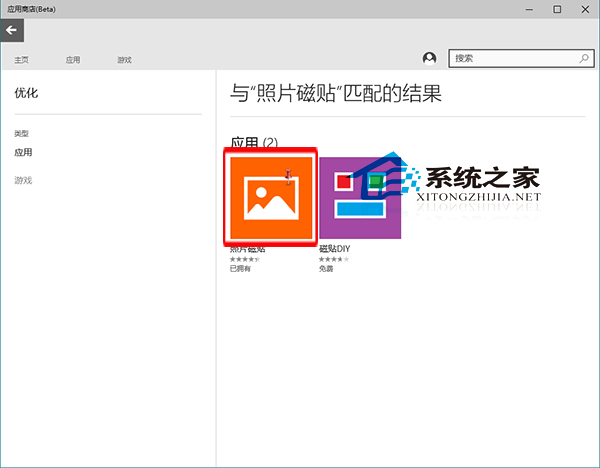
操作步驟

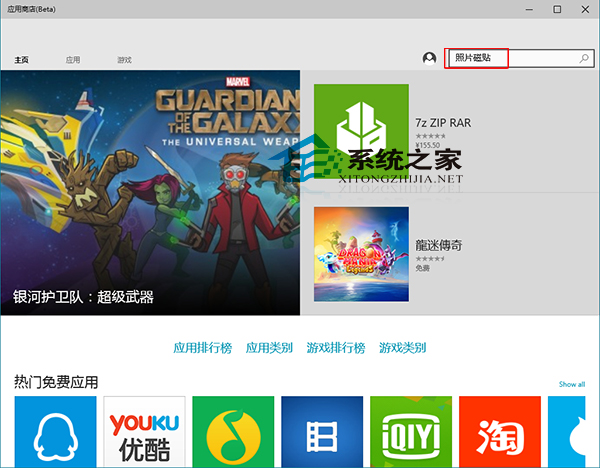
  1. 開啟「Microsoft Store」,在右上角搜尋框輸入應用程式名稱並按 Enter。
  2. 在搜尋結果中點選目標應用程式。
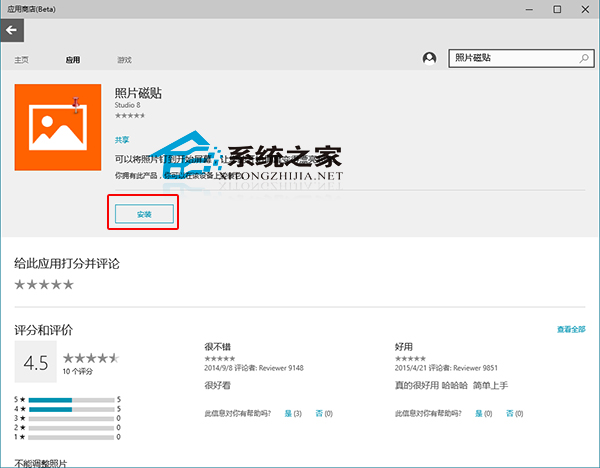
  3. 點擊「安裝」按鈕,系統將自動下載並完成安裝。

Microsoft Store 搜尋應用程式 選擇目標應用程式 點擊安裝並等待完成

補充提醒: 若 Microsoft Store 本身無法開啟,可嘗試以系統管理員身分執行 PowerShell,輸入 Get-AppXPackage -AllUsers | Foreach {Add-AppxPackage -DisableDevelopmentMode -Register "$($_.InstallLocation)\AppXManifest.xml"} 重新註冊所有內建應用程式,或參考相關教學修復 Store 問題。

Copyright © Windows教程網 All Rights Reserved