Win10 引入「平板模式」與「桌面模式」雙介面,並透過 Continuum 技術實現無縫切換。
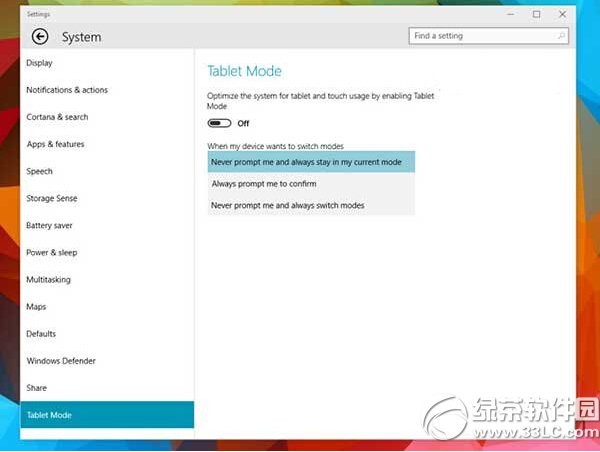
同一裝置、同一系統,根據輸入裝置 (鍵盤/滑鼠 vs 觸控/筆) 智慧切換最適合的介面,實現「一機多用」無縫體驗。
Win10 筆電工作列電池圖示不見了?開啟系統圖示或重置電池驅動程式
Win10 禁止 Cortana(小娜)自動收集個人資訊與語音資料
關閉 Windows 10 升級提示完整教學:卸載 KB3035583 補丁 + 刪除 GWX 升級助手
Win10 安裝開發工具完整流程:加入 Insider、升級最新預覽版、安裝 Visual Studio 2015 CTP6 + Windows 10 SDK
Win10 內建相容性疑難排解:輕鬆測試與修復舊軟體相容性問題
Win10 網卡驅動檢測不到?設備管理員掃描修復 + 驅動人生網卡版離線安裝雙重保障