Windows XP Windows 7 Windows 2003 Windows Vista Windows 綜合教學 Linux 系統教學
Windows 10 Windows 8 Windows 2008 Windows NT Windows Server 電腦軟體教學

Win10 修改副本檔案命名規則:註冊表 CopyNameTemplate 自訂格式,去除「- 副本」或加前綴

編輯:Windows 10 系統介紹

複製檔案遇同名時預設命名「檔名 - 副本」。註冊表 CopyNameTemplate 可自訂命名格式,支援 %s 佔位符代表原檔名。
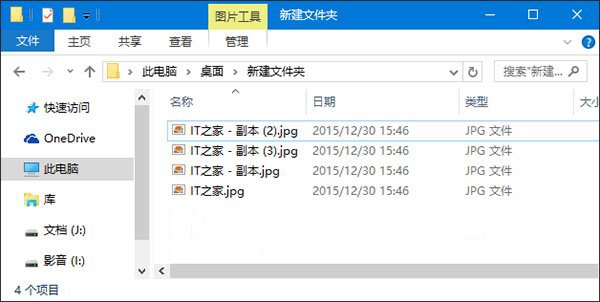
操作步驟

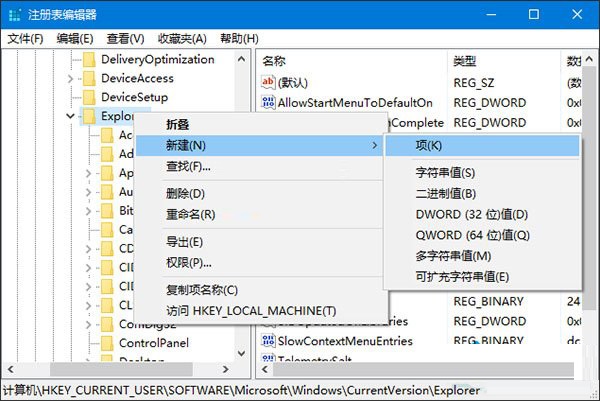
  1. Win+R → regedit。
  2. 瀏覽至:
    HKEY_CURRENT_USER\Software\Microsoft\Windows\CurrentVersion\Explorer
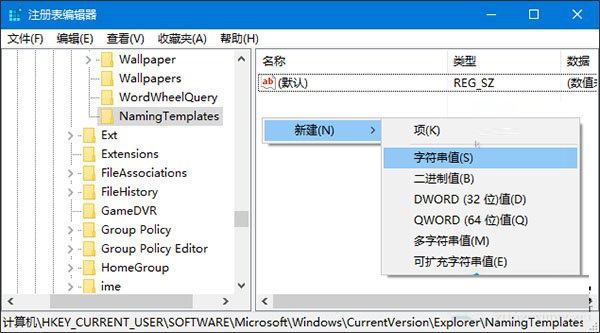
  3. 新增項目 NamingTemplates (若不存在)。

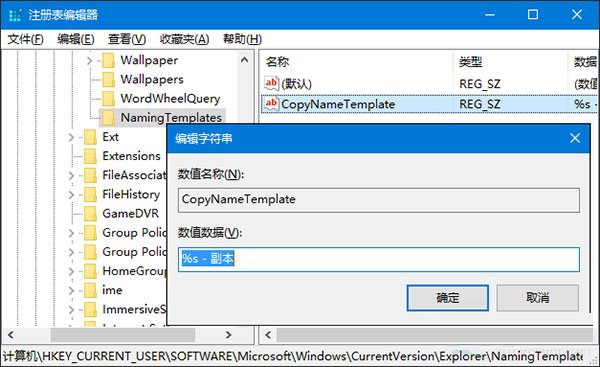
  1. 右側新增字串值 CopyNameTemplate。

  1. 設定數值資料範例:
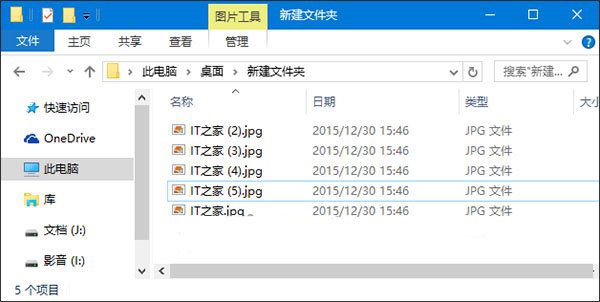
  • %s → 去除「- 副本」,改用括號編號 (如「檔名 (1)」、「檔名 (2)」)。
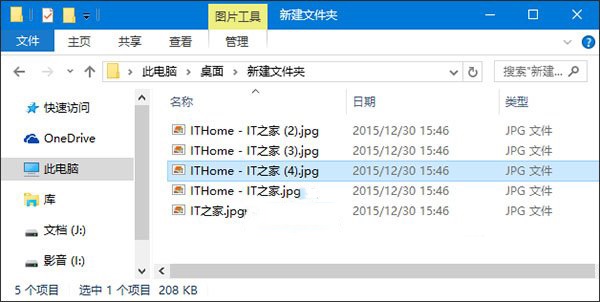
  • ITHome - %s → 加前綴「ITHome - 」。

多次複製自動編號區分。適用 Win7/8/10/11,修改即時生效。

Copyright © Windows教程網 All Rights Reserved