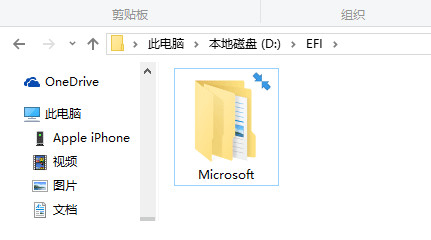
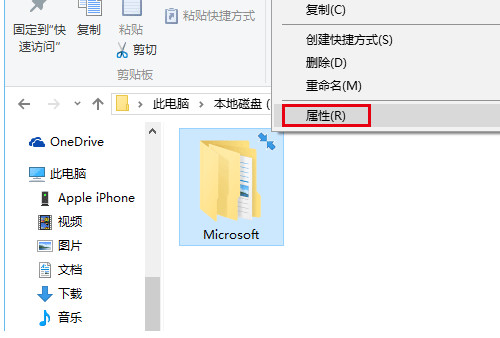
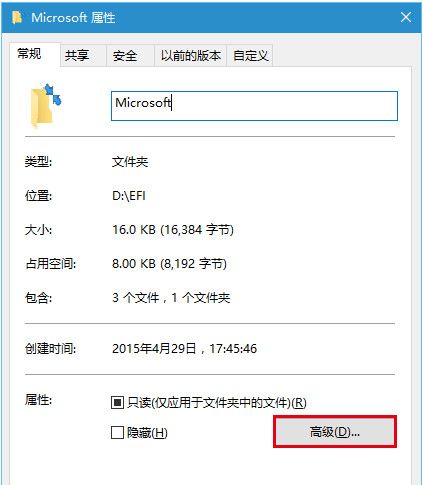
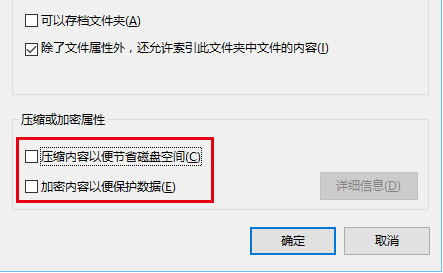
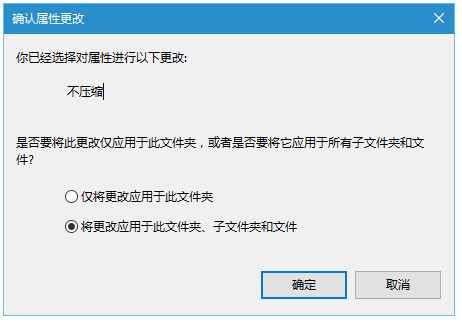
資料夾右上角出現藍色雙箭頭,代表該資料夾啟用了 NTFS 壓縮或加密。取消相關屬性即可移除箭頭。
完成後藍色雙箭頭消失。注意:解除加密需具備憑證權限,EFS 加密資料夾請先備份憑證再操作。
Win10 滑鼠指標大小與顏色如何自訂?輕鬆存取功能完整設定教學
Win10 經典蜘蛛紙牌在哪裡?Microsoft Solitaire Collection 完整啟用指南
Win10 強制升級全攻略:手動觸發下載、跳過等待、離線安裝一次搞懂
Win10 開啟工作管理器的三種方法:工作列、執行命令、快捷鍵
升級 Win10 後事件檢視器不斷自動彈出怎麼辦?
Edge 瀏覽器深度評測:繼承 IE 市佔優勢、閱讀模式與網頁筆記成亮點、擴充套件待補強
Windows 10 無法安裝 Office 2010 解決:msiclear 清理殘留、刪除 Groove 舊版本
Windows 10 查看版本號與系統更新完整指南