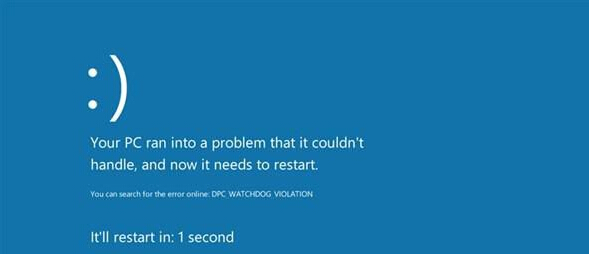
更新 Win10 1511 (TH2) 後頻繁藍屏?多為驅動相容性問題。關鍵在於取得藍屏錯誤代碼與記憶體傾印檔(.dmp)進行分析,而非盲目重裝。
DRIVER_IRQL_NOT_LESS_OR_EQUAL
0x000000D1
C:\Windows\Minidump
.dmp
針對分析結果更新或回滾對應驅動,即可精準解決藍屏問題。
Win10 禁止公用網路環境開啟網路探索:進階共用設定關閉
「取得 Windows 10」工具升級失敗(錯誤 80240020)?手動執行 Setup.exe 破解
Win10 IP 位址衝突解決:重啟路由器 vs 手動設定靜態 IP 兩大方案
Win10 螢幕閃爍怎麼辦?調整顯示器重新整理率至最佳支援值解決
Win10 喚喚小冰 (Xiaoice) 體驗 AI 聊天與顏值測試:Cortana 文字/語音輸入「召喚小冰」
Windows 10 周年更新版 CLSID (GUID) 完整參考指南
Win10 新增網路印表機完整步驟 (含憑證管理)
Win10 筆電螢幕亮度調整完整教學