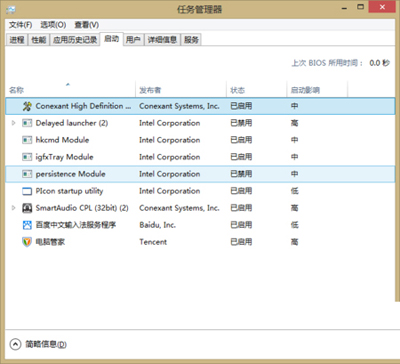
Win10 整合啟動項管理於工作管理器,無需 msconfig 或第三方工具即可直觀管理,提升開機速度並釋放記憶體。
Windows 10 睡眠不斷網:網卡電源管理設定圖解
Win10 更新顯示卡驅動程式:裝置管理員自動搜尋法
Win10 以系統管理員身分執行 PowerShell 兩大法:開始選單與系統檔案
Win10 ISO 映像檔快速升級安裝圖文教學
Win10 快速啟動無法勾選?啟用「變更目前無法使用的設定」解決
Win10 雙顯示卡切換設定教學(針對遊戲效能優化)
Windows 10 裝置管理器在哪?四種最快開啟方式
Win10 快速助手:跨裝置遠端協助內建工具完整教學