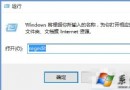
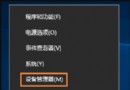
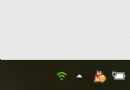
Win10 10122 建置版桌面右下角出現「未啟用」水印。以系統管理員身分開啟命令提示字元,輸入以下指令即可激活並移除水印:
slmgr.vbs -ipk PBHCJ-Q2NYD-2PX34-T2TD6-233PK
執行後重開機,水印即消失。此為早期預覽版專用金鑰,正式版請使用正規授權啟用。
Win10 進不去路由器設定頁?修改 LAN IP 避開光猫衝突
Win10 無線網卡驅動異常修復圖文版:手動指定兼容驅動覆蓋安裝(含卸載重裝流程)
Windows 10 版本完整解析:7 大版本差異、適用對象、選購建議(家用/專業/企業/教育/行動/物聯網)
Win10 找回 Win7 三大經典:Aero Glass 毛玻璃、桌面小工具、經典啟動選單 (第三方工具實現)
Windows 10 顯示/隱藏桌面常用圖示(電腦、控制台、網路等)
Win10 週年更新 (1607) UWP 應用閃退 (Twitter/Netflix 等)?wsreset 清除商店快取臨時修復