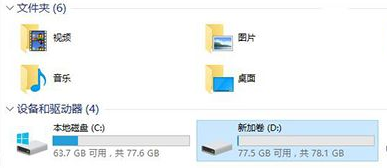
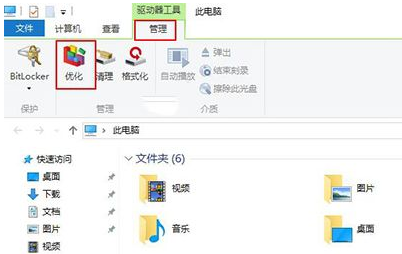
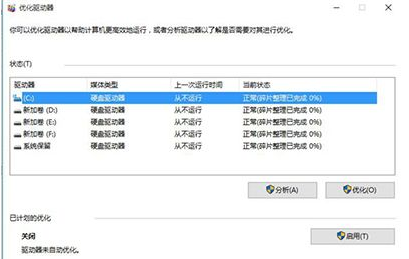
Win 10 磁碟重組工具整合於「最佳化磁碟機」介面,可分析碎片並重組提升存取效能。
說明:SSD 無需重組 (會執行 TRIM),HDD 建議每月重組一次。系統預設每週自動排程最佳化。
Windows 10 停用 Cortana 並將搜尋方塊改為搜尋圖示教學
Win10 音量控制橫向怎麼改回經典直向?登錄檔新增 EnableMtcUvc=0 恢復 Win7 風格垂直音量滑桿
Win10 應用程式商店如何全螢幕顯示?雙擊標題列或最大化按鈕切換
Win10 如何設定圖片密碼?手勢登入圖文教學
Win10 開機啟動項怎麼刪除冗餘項?軟媒魔方/Autoruns/登錄檔三法任選
Windows 10 便利貼設定開機自動啟動:放入啟動資料夾
Win10 設定開機密碼完整指南:字元、PIN 碼、圖片密碼三選一
Windows 10 將寬帶連線 (撥號) 圖示建立至桌面捷徑教學