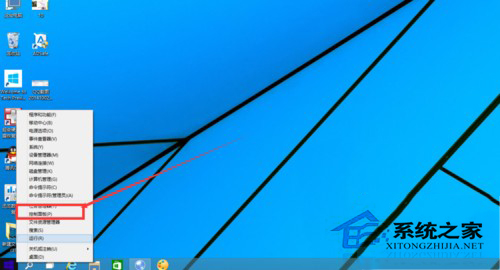
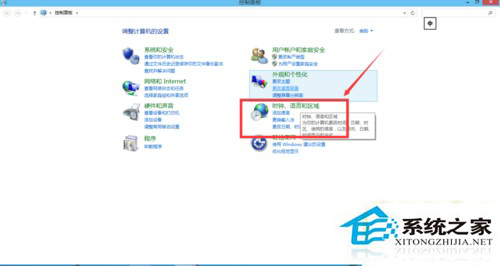
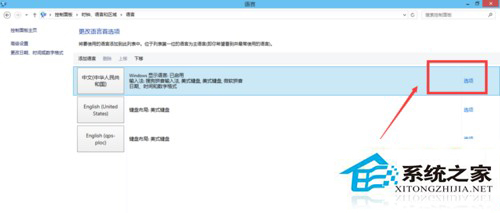
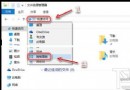
Windows 10 內建微軟拼音輸入法,若習慣使用第三方輸入法(如搜狗、微信輸入法),可將內建輸入法移除以簡化切換清單。
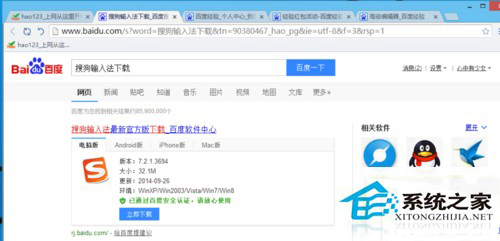
必須先安裝至少一套第三方輸入法(如搜狗輸入法),否則系統不允許移除最後一套輸入法。
移除後切換輸入法清單將僅顯示第三方輸入法,操作更直覺。若未來需要,可同樣路徑點擊「新增輸入法」重新加入。
Win10 網卡被停用導致無法上網?三步驟啟用乙太網路恢復連線
Win10 升級預覽版 11099 出現 WSClient.dll 錯誤?禁用任務計劃 WSRefreshBannedAppsListTask 即可解決
Win10 應用商店下載提示「裝置數量已達上限」?移除不需的裝置解決
Win10 查看顯卡配置:dxdiag 指令與第三方工具雙法
Win10 檔案複製到 USB 提示「磁碟受寫入保護」?登錄檔一鍵解除
Windows 10 Build 10547 預覽版更新內容總覽
Windows 10 降級教學:兩種情境完整步驟 (保留應用 vs 重灌)
Windows 10 命令提示字元 (CMD) 新功能介紹