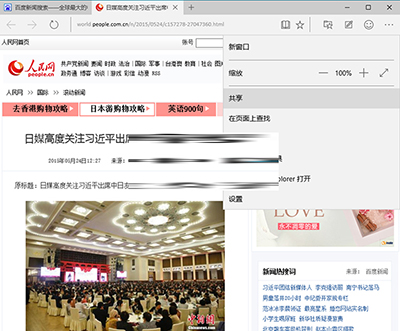
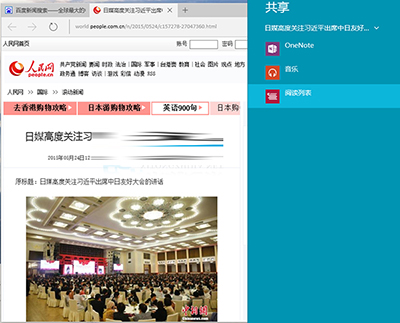
Microsoft Edge 內建的「閱讀清單」功能可離線儲存網頁內容,類似書籤但支援無網路環境閱讀,適合儲存新聞文章與長文。
加入後可在 Edge 中心(樞紐鍵圖示)的「閱讀清單」索引標籤隨時查看,即使離線也能閱讀完整內容。
Win10 小娜預設 Bing 搜尋怎麼改 Google/百度?Chrome 擴充功能攔截重導向實作
Win10 正式版啟用暗黑皮膚主題:同 ID 22408 自建 .theme 檔導入系統級深色介面
Windows 10 將寬帶連線 (撥號) 圖示建立至桌面捷徑教學
Win10 控制台在哪?兩種最快開啟方法:開始選單與搜尋直達
Win10 系統更新補丁文件儲存位置與手動刪除方法
Win10 玩《英雄聯盟》打字無候選框?安裝新輸入法或修改遊戲設定檔修復
升級 Win10 後 Office 2013 檔案無法開啟?兩招修復相容性問題
Win10 桌面浮水印判斷正版/盜版/預覽版:字體大小、位置、透明度全解析