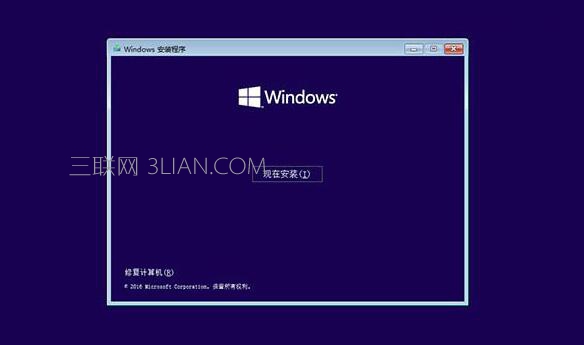
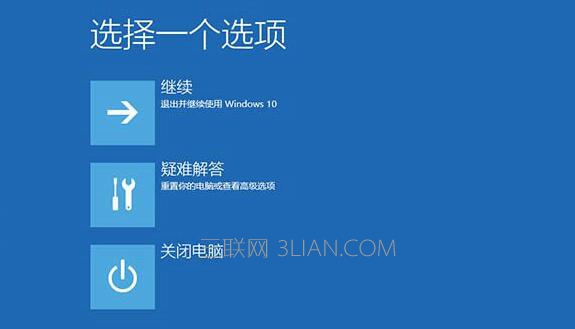
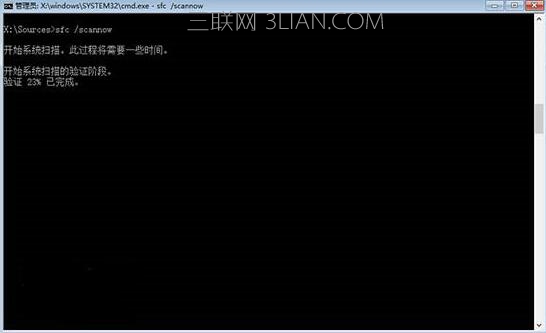
Win10 開機陷入「自動修復」無限重啟循環,需用安裝媒體進入修復環境:
bcdedit
resumeobject
bcdedit /set {GUID} recoveryenabled No
chkdsk /r c:
sfc /scannow
若仍無法開機,考慮系統映像還原或重新安裝。
Win10 設定桌面背景自動輪播:個人化設定選擇「投影片播放」指定資料夾與間隔
Windows 10 遊戲開發優化指南:介面設計與輸入體驗
Win10 一週年更新語言列跑到桌面?一鍵隱藏還給工作列
Win10 關閉 SmartScreen 彈出視窗阻擋未知應用程式教學
Win10 移除「這台電腦」六大預設資料夾 (登錄修改法)
Win10 硬碟使用率持續 100% 導致卡頓?停用 HomeGroup Listener 服務與改掉狂按 F5 習慣
Win10 找回消失的 Modern 版 IE 瀏覽器(PowerShell 腳本法)
Win10 如何查看螢幕重新整理率:確認是否正常避免眼睛疲勞