裝第三方字型後 Edge 網頁顯示亂碼,因字型回退機制衝突。透過群組原則設定 IE 使用者代理字串強制為 MSIE 9.0 可修復 (Edge 共用 IE 渲染路徑部分設定)。
四步修復
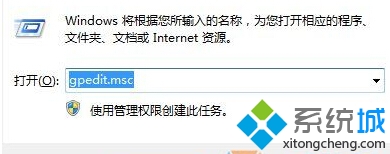
- Win+R →
gpedit.msc 開啟本機群組原則編輯器
- 依序展開:電腦設定 → 管理範本 → Windows 元件 → Internet Explorer
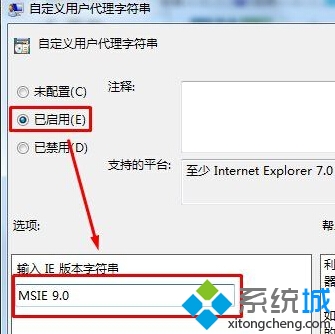
- 右側找到「自訂使用者代理字串」→ 雙擊 →「已啟用」→ 選項輸入
MSIE 9.0 → 套用/確定
- 重開機生效,Edge 網頁字型恢復正常
說明
- 此設定實為調整 IE 相容性檢視模式,間接影響 Edge 字型回退
- 若無 gpedit.msc (Home 版),可用登錄表對應鍵值:
HKLM\SOFTWARE\Policies\Microsoft\Internet Explorer\Main\UserAgent 新增字串值 MSIE 9.0
- 移除第三方字型或改用相容性佳的字型 (如微軟正黑體、Noto Sans TC) 為根治之道