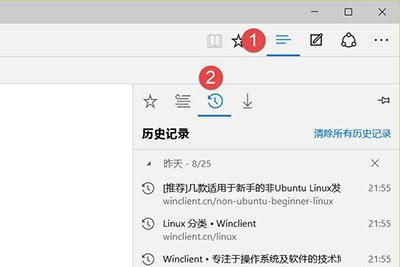
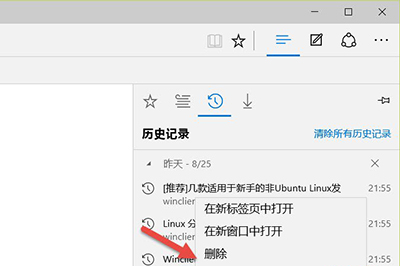
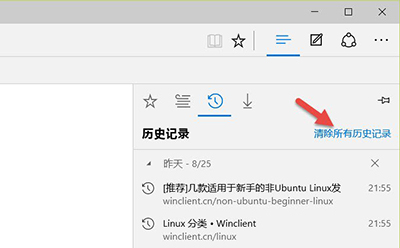
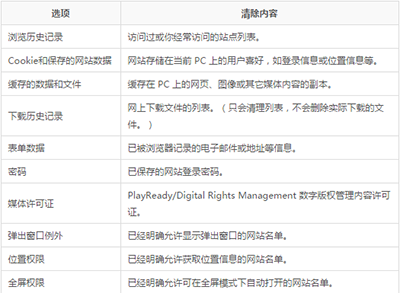
Edge 瀏覽歷史記錄刪除:點「中樞」→「歷史記錄」圖示 → 右鍵單筆/網域刪除,或點「清除所有歷史記錄」批次清理。
Win10 開始選單顯示個人照片:使用「照片磚塊」應用設定
Win10 螢幕解析度無法調整怎麼辦?更新顯示卡驅動程式恢復調整功能
Windows 10 Windows Hello 臉部辨識登入設定與硬體需求解析
Windows 10 啟用「關閉下載遊戲資訊」群組原則設定教學
Windows 10 周年更新正式版 ISO 官方下載:微軟網站直連、版本選擇、24小時有效連結
Win10 開啟新舊版使用者帳戶管理介面:設定 App (新) 與控制台 (舊) 雙通道
Win10 更新 KB3097617 安裝失敗?關閉防毒或手動安裝離線套件
Windows 10 建立本地使用者帳戶教學 (電腦管理 / 本地用戶和群組)