Windows 10 執行《逆戰》全螢幕出現黑屏,可透過設定遊戲執行檔相容性模式為 Windows 7 解決。
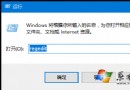
client.exe
此法適用於多款舊遊戲在 Win10 全螢幕異常的情況。
Win10 Edge 瀏覽器清除歷史記錄完整技巧:單筆刪除、全清、資料類型詳解
Win 10 將工作列搜尋按鈕改為搜尋列(解鎖註冊表)
Windows Insider 預覽版轉正式版教學:停用測試計畫保留系統
Win10 Redstone 14279 更新重點一覽
Windows 10 首波大更新「Threshold Wave 2」內容前瞻:深度優化與穩定性強化
Win10 Defender 無法啟動?sc 指令強制啟動 WinDefend 服務修復 Bug
Win10 桌面圖標與任務列消失?重啟 explorer.exe 秒恢復:任務管理器 → 檔案 → 執行新工作 → 輸入 explorer
Win10 群組原則編輯器 (gpedit.msc) 兩種快速開啟方法