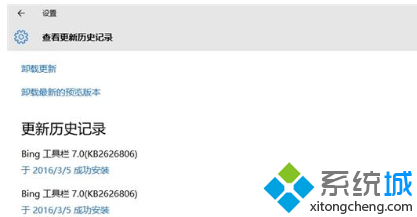
隨著某些軟體安裝而帶入的瀏覽器工具列,僅提供搜尋功能,不影響核心使用,但會拖慢瀏覽器啟動速度。
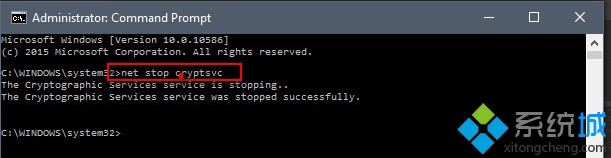
net stop cryptsvc
C:\Windows\System32\Catroot2
Catroot2_bak
net start cryptsvc
exit
Catroot
Catroot2
Windows 10 7 月 29 日正式發行:免費升級政策、中國定制版、硬體需求、版本對應表完整解析
Win10 側載模式詳解:安裝非商店應用的關鍵開關
Win10 設定通知免打擾時間:群組原則排程自動靜音系統通知
Win10 右鍵選單缺少「圖形屬性」「圖形選項」?登錄表新增 igfxDTCM 機碼恢復
Win10 管理員帳號被停用無法進入系統?PE 環境下利用 sethc.exe 替換法重啟啟用
Win10 流暢好用的輸入法推薦:拼音/五筆/雙拼/手寫/語音全方位評測
Win10 更換鎖定畫面壁紙後無法進入桌面?還原 windows.ui.logon.pri 修復
Win10 視窗標題列高度與捲軸寬度自訂:登錄微調讓介面更順眼