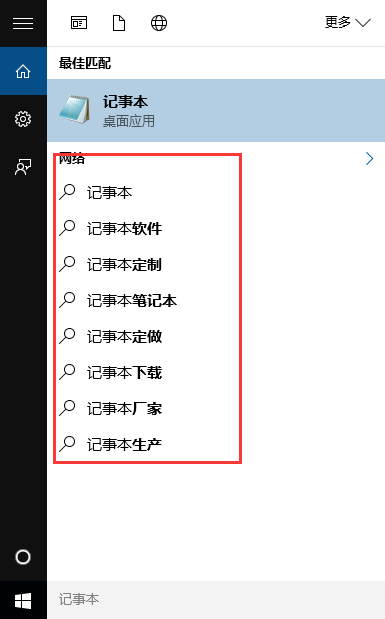
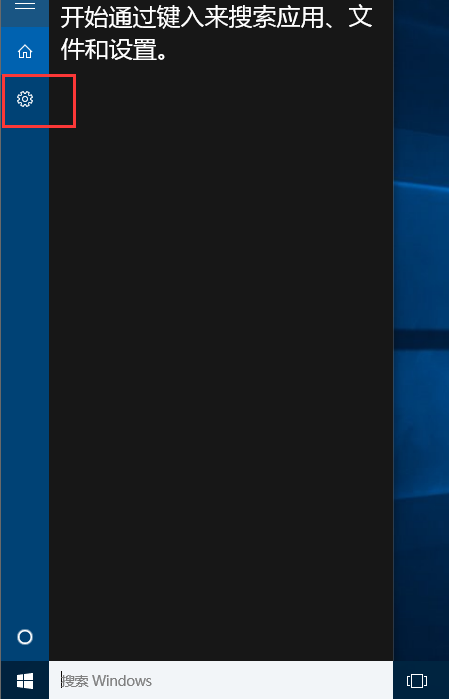
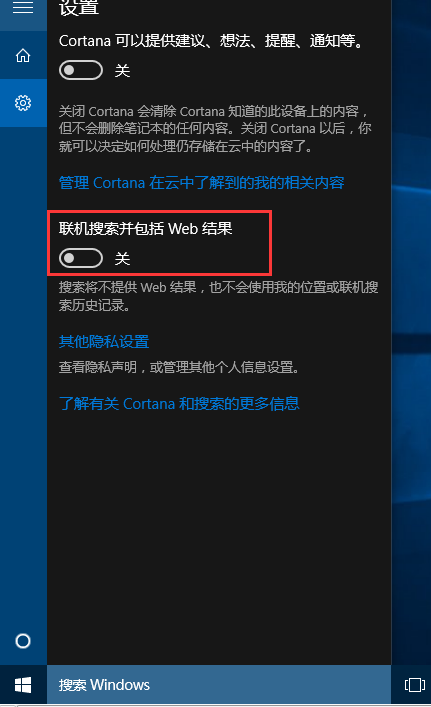
Windows 10 Cortana 搜尋預設整合 Bing 網路結果,若需純本機搜尋,可在 Cortana 設定中永久關閉網路搜尋功能。
此設定為永久生效,重開機不會重置。若需臨時搜尋網路,可直接開啟瀏覽器或使用 Win+S 後點擊「網路」分類索引標籤 (參考 ID 20750)。
Win10 關機卻自動重開機?關閉「快速啟動」徹底解決
Win10 系統「更改電腦設定」兩大入口:快捷鍵與開始選單全解析
Win10 自訂任意顏色為主題色(登錄檔修改 ABGR 格式),突破預設調色盤限制
Win10 如何啟用 Cortana 小娜語音助手?區域語言改「英文(美國)」+ 登入 Microsoft 帳號
Windows 10 筆電開啟內建 Wi-Fi 熱點 (SoftAP) 教學:netsh 指令三步完成
Win10 開啟螢幕鍵盤的兩種快速方法
Win10 工作列「Windows」小圖示 (GWX) 功能解析:預載安裝檔、減輕釋出日伺服器負載、盜版也能升級但不洗白
Windows 10 啟用「尋找裝置與內容」:設定網路探索與共享權限