Win 10 建立測試帳戶參加考試:
一、新增本機測試帳戶
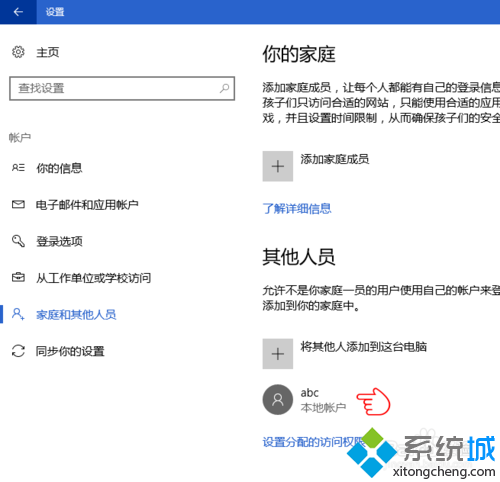
- 「設定」→「帳戶」→ 左側「家庭與其他使用者」→ 右側「將其他人新增到這台電腦」。
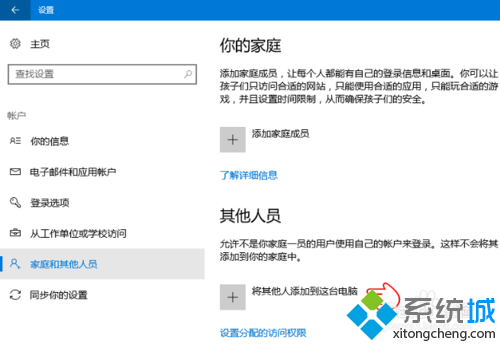
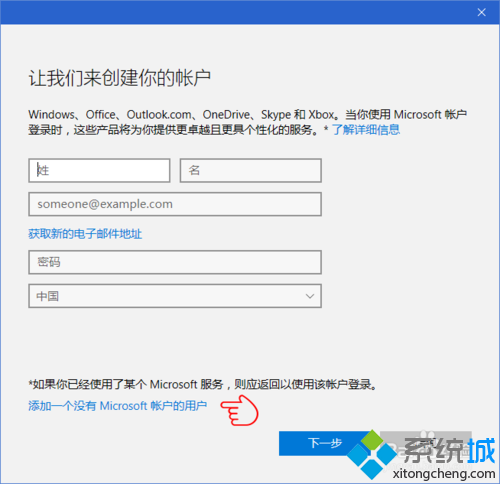
- 預設要求 Microsoft 帳戶,點選「我沒有這個人的登入資訊」。
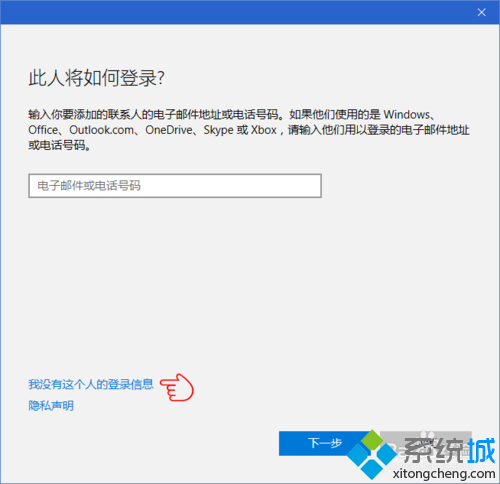
- 再點「新增沒有 Microsoft 帳戶的使用者」。
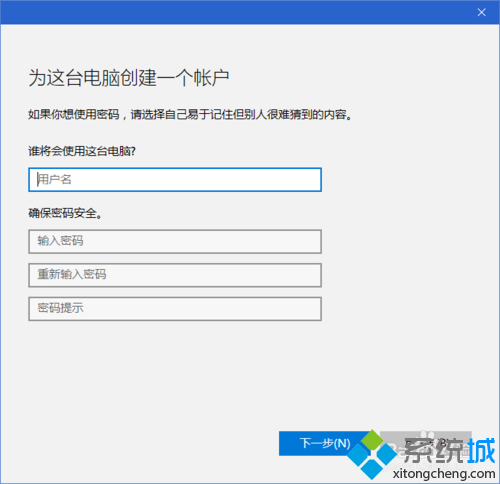
- 輸入使用者名稱、密碼、確認密碼、密碼提示 → 「下一步」完成。
- 新帳戶出現在「其他使用者」清單中。
二、指派試卷 (參考前文意見回饋中心取得網址)
「設定」→「帳戶」→「存取工作或學校」→「建立測試帳戶」→ 選擇帳戶 → 貼上試卷網址 → 設定列印/螢幕擷取等選項。