Win 10 省電模式設定步驟:
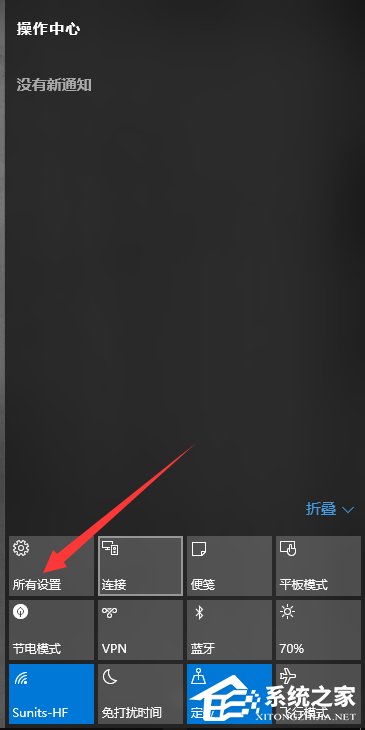
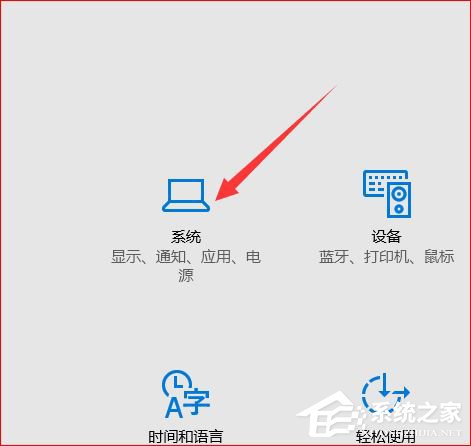
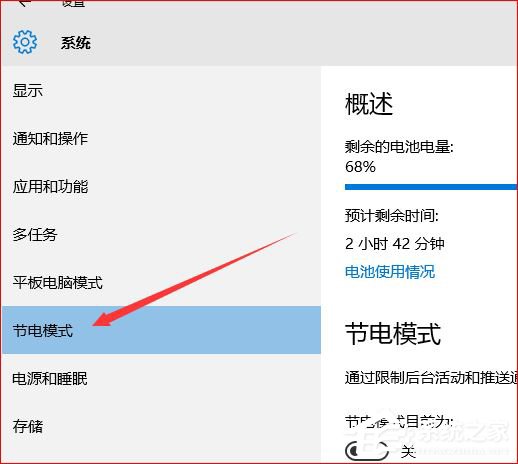
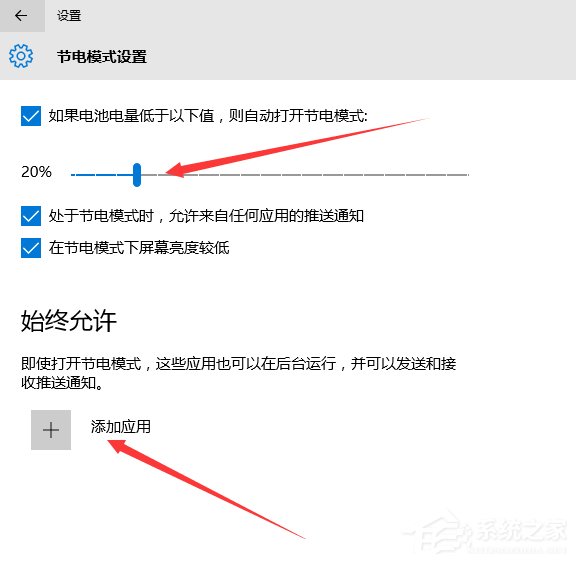
合理配置門檻與白名單,兼顧續航力與重要通知接收。
Windows 10 應用程式開發教學:Windows App Studio 快速建置 Web 託管 UWP 應用
微軟宣布:Windows 10 RTM 後將為 Edge 瀏覽器新增 5 大功能(擴充套件、Cortana 整合、WebRTC、指標鎖定、平台特性)
Win10 開啟開始選單/工作列透明效果:個人化設定調整色彩與透明度
Win10 開機加速:啟用快速啟動 (Fast Startup) 完整設定圖解
Win 10 鎖定畫面設定兩大法:Win+L 快捷鍵與開始功能表鎖定
Win10 輸入法無法使用/無法切換?重啟 Ctfmon.exe 與語言列設定快速修復
Win 10 Photoshop CS6 無法拖入圖片?啟動 64 位元版本捷徑解決
Windows 10 PotPlayer 無法執行 (This app can't run on your PC) 解決:重新安裝正式版取代綠色版