遭遇 Win 10 升級失敗,嘗試以下標準修復流程:
C:\Windows\SoftwareDistribution\Download,刪除資料夾內所有檔案。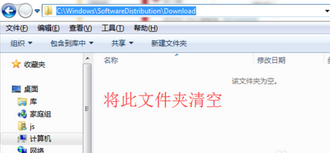
cmd 開啟命令提示字元,執行 wuauclt.exe /updatenow。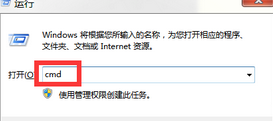
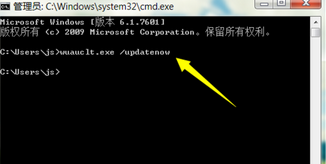
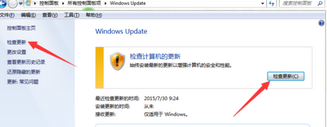
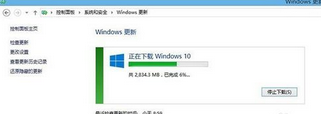
此流程能重置更新元件、清除損壞的暫存檔,解決多數升級卡住、報錯問題。
Windows Hello 生物辨識免密碼登入:臉部/虹膜/指紋解鎖裝置、Microsoft Passport 替代密碼登入網站服務
Windows 10 預覽版 9901 無法更新升級?常見原因與解決方案
Win10 玩遊戲無法全螢幕/有黑邊?修改登錄檔 Scaling 值與啟用 DirectPlay 組件修復
Win10 待機斷網怎麼解決?裝置管理員關閉網卡省電功能保持網路連線
64 位元 Win10 可用記憶體突然變少?msconfig 取消「最大記憶體」限制恢復完整容量
Win10 升級後光碟機消失/代碼 45 修復:卸載 ATA Channel 0 並更新光碟機驅動