Symantec 王牌工具 Ghost (General Hardware Oriented Software Transfer) 是最常用的硬盤對拷軟件,實戰中必須注意三大塹坑:
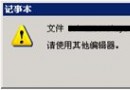
菜單 Local/Partition or Disk/From Image,**請用 DOS 啟動盤或 Win98 啟動盤引導**。Windows 環境下還原極易導致系統無法正常使用。
容量差異過大會導致克隆後目標盤分區顯示錯誤、主板 CMOS 信息報錯。Ghost 6.0+ 版本對此更敏感,**建議同容量或目標盤略大**。
菜單 Local/Partition or Disk/To Image,DOS 下備份易出現無法正常操作各分區的情況。若遇問題,**清除 CMOS 信息**常能解決。備份前請先清理垃圾文件、執行磁碟整理。