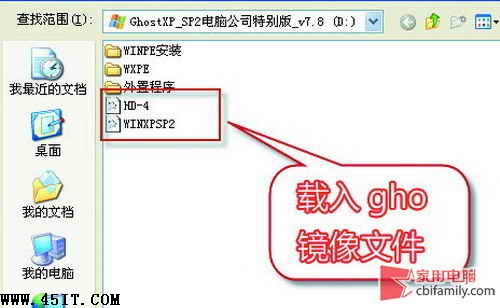
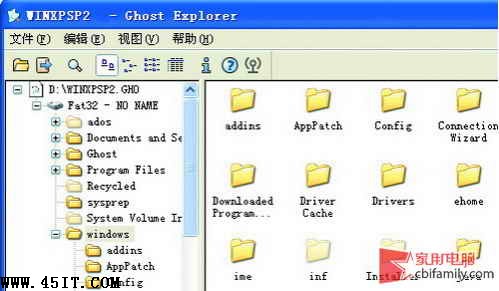
想修改 GHO 內單一檔案或提取檔案,無需完整還原。Ghost Explorer 即可掛載 GHO 進行操作。
Awdflash.exe BIOS 刷新全攻略:參數詳解、風險規避、失敗救援
打數字有空格、數字間距變大怎麼辦?全/半角模式切換圖文教學(智能ABC/QQ拼音)
諾頓 Ghost 進階參數四則:自動備份、分卷備份、自動還原、加密備份
Nero Burning ROM 超實用 8 大技巧:導燒音樂、批次轉 mp3Pro、刻錄封面、Wave 編輯、虛擬映像、自動圖示
.e 檔案用什麼開啟?原來是易語言專屬格式,附簡介與開啟方法
WinRAR 解壓提示 CRC 錯誤?判斷原因、緊急搶救、預防措施全攻略
EasyRecovery 格式化資料救援完整圖文教學
驅動人生「人生日曆」徹底卸載兩大法:目錄刪除法與開始菜單法