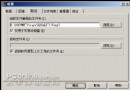
ghost -sure -clone,mode=pdump,src=1:1,dst=system.gho備份第一顆硬碟第一分區至當前目錄 system.gho。
ghost -sure -clone,mode=pdump,src=1:1,dst=system.gho -span -split=630單檔超過 630MB 自動分卷,方便燒錄 650MB CD-R。
ghost -sure -rb -clone,mode=pload,src=system.gho:1,dst=1:1還原 system.gho 至第一顆硬碟第一分區,完成自動重開機。
Ghost -sure -pwd,666888 -clone,mode=pdump,src=1:1,dst=system.gho設定密碼 666888,還原或用 Ghost Explorer 開啟需輸入密碼。若 -pwd 後不加密碼,會互動式詢問。
將上述指令寫入批次檔,備份還原一鍵完成。