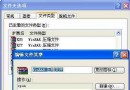
網易泡泡「共享資料夾」功能常被忽略。開啟:「工具/系統設定/共享資料夾」,勾選「允許共享資料夾」,依提示設定路徑(圖 1)。好友面板右鍵選單即可訪問。
圖 1
可設定帳號密碼保護,防止未授權訪問。輕鬆實現好友間檔案互傳,無需上傳雲端。
幻境網盾 (Skiller) 使用教學:區域網限速、ARP 欺騙原理、防禦與對抗
Firefox 因 Flash Player 沙箱機制卡頓/崩潰?修改 mms.cfg 禁用 ProtectedMode 解決
如何屏蔽新浪微博認證大 V 的私信?
BitComet 參數深度優化指南:從全域設定到動態調速,榨乾頻寬極速下載
Outlook Express 郵件規則:直接在伺服器刪除非本人收件垃圾郵件、撤回誤寄郵件
深度解析 eMule 電驢下載速度影響因素與高低 ID 差異
BT 下載太慢?BT 引擎優化網路設置大幅提速 (實測 130% 以上)
解決 FlashGet 自動攔截下載的困擾